
Showing posts with label Products. Show all posts

Monday, September 11, 2017

From Consumers to Creators: Students Design Curriculum

Tired of the traditional two-week review of safety rules each year, Ms. Hendrix at Northwest High School decided to put students in the driver's seat of their learning. Her chemistry students were tasked with creating an online, self-paced "Science Safety Education" course that caters to high school students and includes videos, presentations, and assessments. Student Alexis noted they were basically designing curriculum.

One of my favorite aspects of this project is the student ownership of their work. Hector said that his time spent in this project felt productive because he knew it was going to be put to use. Students were creating, all while knowing that there would be a specific audience. This project enabled student choice while staying within the teacher's required parameters and TEKS. Giving up control of an assignment can be scary for teachers, but the ownership and genuine learning that takes place as a result is invaluable to students. Hector added, “It’s cool because [what we created is] actually going to help someone later.”
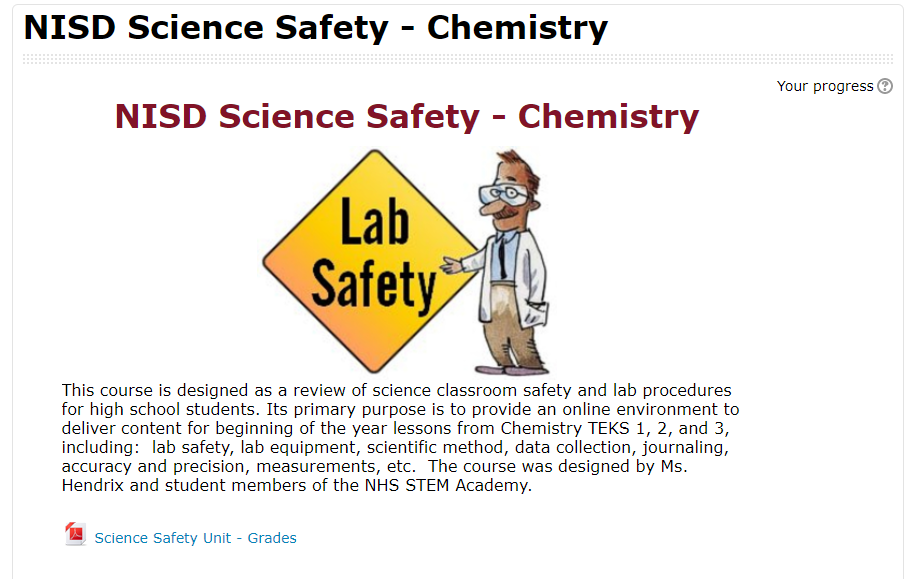
labsafetymoodle.PNGStudents were ultimately able to redefine their learning using video editing software (WeVideo, iMovie App, and Adobe Spark), Google Drive and Slides, and various Moodle features to collaboratively teach future classmates.

Essentially, each team of students was responsible for a different Lab safety and procedure topic. There were many topics to be covered like journaling, recording scientific data, creating charts and graphs, and the history of science. Each team had to create a note-taking presentation resource, a video, and various assessments for their unit. The teams collaborated to culminate everything in a final product for the next year’s science students to use at the beginning of the school year.

Ms. Hendrix was sure to leave the actual creation of the course to the students, but did help them format it into Moodle so others could benefit from their hard work. Payton said, “[This project] made me reflect on how I learned as a sophomore, and I was able to apply that for other students.” In creating the course, students had to think critically about how people learn, what type of learning sticks, and what resources and content would be best for their intended audience. Everett added, “...we had multiple people who learned different ways in our group, and so each person was able to contribute differently.”
student safety video.PNG
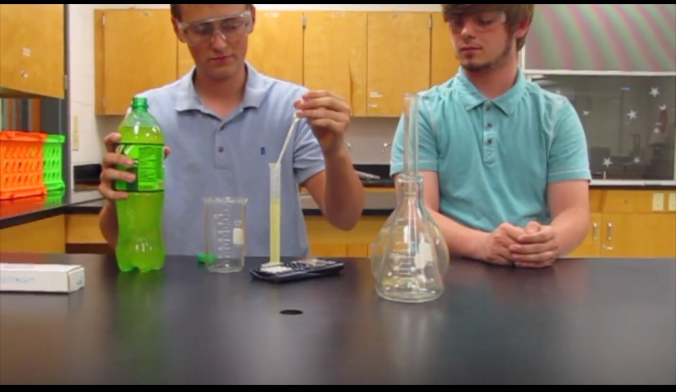
The teams pulled from existing resources and created brand new ones. Many students embedded student-made videos into their Google Slide presentations. Alexis’s team worked hard to make their video entertaining. “We wanted it to be funny because ours was … about doing a write-up,” Alexis noted. “It’s a boring topic for some, so we wanted it to be funny considering our audience [was] teenagers.” As always, some of the biggest learning moments came as students reflected on their work. Hector reminisced, “Out of all of the things that I did that year, I feel like this had the biggest impact.”

Monday, May 1, 2017

Annotation Videos for the Win


Eaton High School students are using features on their Chromebooks to take an active role in their learning. One method to capture their understanding is video; examples include students recording themselves talking through their thinking, recording each other conducting interviews, creating screencasts, and so much more. This article features a unique method of using digital tools to explain their understanding of processes: a digital whiteboard combined with a screencast recorder. Two classes, Geometry and Chemistry, use this strategy to enable students to collaborate on how to solve a problem and then verbally explain the solution while annotating to show details step-by-step.

In Geometry class, students work in groups to create their own word problem to solve a missing component of a right triangle using trigonometry functions. Each group rolled dice to find two numerical components and drew a playing card to determine if the trig function is basic trig or inverse trig. Given just these three simple components, students constructed a unique word problem to introduce a scenario with a missing piece that needed to be solved. Students then worked through solving the problem, each group member providing part of the solution in the video. Once complete, each group submitted their video in Moodle and the next day each class watched all the videos to verify accuracy and vote on the winning video of the class. This activity provided an opportunity for students to be creative in their learning and provide peer feedback on their work.

Geometry Video #1

Geometry Video #2

In Chemistry class, students work together to predict the products of a chemical reaction. Each group is given only the chemical reactants and must combine several steps: identify the type of reaction, predict the chemical products that will be formed, and balance the equation. After first working through the chemical reaction on paper and getting it verified by the teacher, students then recorded their solution using the whiteboard and screencast tools, each student explaining a portion of the solution with their reasoning. Once complete, each group added their video to a shared class Google Slide, in which each slide represented one chemical reaction. This activity provided students the opportunity to work through several steps of a solution from beginning to end, demonstrate their understanding, and contribute to a class set of video explanations. This collective document was then available to all students as a review to help them work through similar problems while preparing for an upcoming exam.

Chemistry Video #1

Chemistry Video #2


These activities are aligned with ISTE Student Standards:

1. Empowered Learner: Students leverage technology to take an active role in choosing, achieving and demonstrating competency in their learning goals, informed by the learning sciences.
1a. Articulate and set personal learning goals, develop strategies leveraging technology to achieve them and reflect on the learning process itself to improve learning outcomes.
1c. Students use technology to seek feedback that informs and improves their practice and to demonstrate their learning in a variety of ways.

6. Creative Communicator: Students communicate clearly and express themselves creatively for a variety of purposes using the platforms, tools, styles, formats and digital media appropriate to their goals.
6a. Students choose the appropriate platforms and tools for meeting the desired objectives of their creation or communication.
6b. Students create original works or responsibly repurpose or remix digital resources into new creations.
6d. Students publish or present content that customizes the message and medium for their intended audiences.

Visit www.iste.org to learn more about the International Society for Technology in Education (ISTE)