Showing posts with label Student Team Projects. Show all posts

Monday, October 29, 2018

All Aboard: Where Hovering Dreams Become a Reality


“A dream doesn’t become reality through magic; it takes sweat, determination, and hard work.” 
-Colin Powell

          I think back to when I was a kid, thinking about how there would definitely be flying cars in the future.  Shows and movies like “The Jetsons” and “Back to the Future” made these dreams a quasi-reality for us.  Unlike three of Prairie View Elementary’s finest leaders, I was waiting for someone else to make this idea come to fruition, it never happened.

          It all started when Christopher and Ethan dreamed up the idea to transform the transportation world with a hover train that would exceed all current travel expectations.  Beginning the design process by sketching out what they imagined, their idea began to take shape.  After coming up with rough sketches of what their hover train would look like, they needed help to take their project to the next level.  Inviting Ian into the group seemed like the best addition, as he had experience designing futuristic models as well.  Additionally, Ms. Natalie Spann, Librarian at Prairie View Elementary, was asked to oversee this passion project, as the students eventually hoped to use the brand-new 3D-printer the school had won through having the most involvement at NISD’s Summer Techno Camps!

          Under the direction and guidance of Ms. Spann, the three 5th-grade engineers began to set-off on developing their idea in Tinker Cad, a design program that can then connect to a 3D-printer to print out their designs.  In discussing their design process, Christopher stated that “We know that it has to be aerodynamic, which is why the front of the train will be rounded, to allow the air to push around it on all sides.”  Through the process of designing the train itself, they have had to problem solve how they intend to make it hover.  Ethan suggested that “electromagnets within the train and surrounding the tunnel will allow the train to stay off the ground,” as he pulls up his Youtube video research.


          The beauty of learning in a district such as NISD, educators know where there is a will, there is a way.  It just so happened that the NISD STEM Academy at Northwest High School had recently posted about their culminating project after experiencing first hand what the engineering process looks like.  Ms. Elizabeth Mitias, the teacher of the Aerospace and STEM Principles classes, gladly accepted the challenge of having some of her seniors mentor our three emerging scientists.  Coordinating schedules, Ms. Spann and Ms. Mitias set out to schedule a Zoom Conference between the two groups of students.  The Prairie View students were excited at the opportunity to hear from “experts” in the field that they were working in.  They began preparing talking points and questions that they would ask the seniors.

          Finally, the day of the meeting arrived.  Ethan, Connor, and Marla, senior students from Ms. Mitias’’ class, were eagerly awaiting the arrival of the young engineers.  The meeting commenced with an introduction to the engineering process where the seniors discussed their experiences in creating their spacecraft.  Connor reiterated the idea that “It is necessary to get feedback from multiple perspectives when creating a project because a fresh pair of eyes can help you see things that you may have missed before.”


          Throughout the course of the meeting, Christopher, Ian, and Ethan held their own when challenged with scientific questions.  The level of discourse between these two groups of students was like none that this writer has ever experienced before.  Following a protocol where the Seniors gave reflective feedback and encouraging words of praise to the 5th-graders, who were silently listening and absorbing, the 5th-graders who once thought they were ready to print a prototype of their project and submit it for testing, knew that they had to comb through their plans and make adjustments to account for all of the new learning they had acquired.


          When asked about their experiences throughout this whole passion-project, the boys were ecstatic to share how they were feeling.   Ian stated, “I feel smart. I feel like a brainiac. I feel like I’ve done something nobody’s ever done before.”  Ethan expressed, “It feels like what we are doing is experimental. We are figuring out problems that we’ve never done before.”  Excited by the opportunity, Christopher shared, “I am just so eager to learn more about aerodynamics and electromagnets, and it feels like this is something that we can really make happen.”  Ms. Spann, who supported this project from its conception, expressed, “I love that this whole project was intrinsically motivated.  The students had the idea and set out to find a way to make it happen, all on their own.  They never had a question of if, just who would be willing to give them the space to make their dreams come true.”

          By empowering our students to find what they are passionate about, these Prairie View Leaders exemplify the necessity to fulfill the mantra, “Where there is a will, there is a way.”  This truly embodies Leader In Me Habit #4 as this is a WIN-WIN for all involved.

Monday, September 11, 2017

From Consumers to Creators: Students Design Curriculum

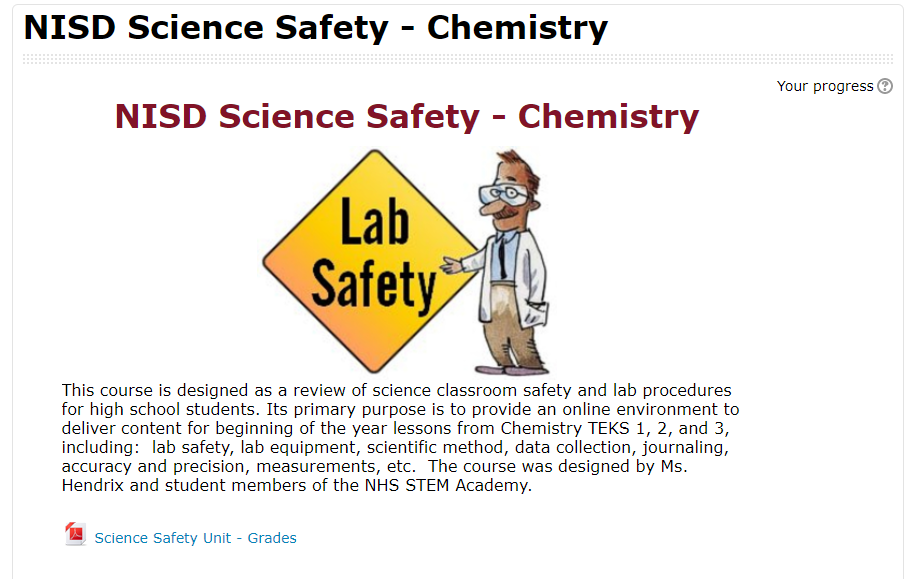
Tired of the traditional two-week review of safety rules each year, Ms. Hendrix at Northwest High School decided to put students in the driver's seat of their learning. Her chemistry students were tasked with creating an online, self-paced "Science Safety Education" course that caters to high school students and includes videos, presentations, and assessments. Student Alexis noted they were basically designing curriculum.

One of my favorite aspects of this project is the student ownership of their work. Hector said that his time spent in this project felt productive because he knew it was going to be put to use. Students were creating, all while knowing that there would be a specific audience. This project enabled student choice while staying within the teacher's required parameters and TEKS. Giving up control of an assignment can be scary for teachers, but the ownership and genuine learning that takes place as a result is invaluable to students. Hector added, “It’s cool because [what we created is] actually going to help someone later.”

labsafetymoodle.PNGStudents were ultimately able to redefine their learning using video editing software (WeVideo, iMovie App, and Adobe Spark), Google Drive and Slides, and various Moodle features to collaboratively teach future classmates.

Essentially, each team of students was responsible for a different Lab safety and procedure topic. There were many topics to be covered like journaling, recording scientific data, creating charts and graphs, and the history of science. Each team had to create a note-taking presentation resource, a video, and various assessments for their unit. The teams collaborated to culminate everything in a final product for the next year’s science students to use at the beginning of the school year.

Ms. Hendrix was sure to leave the actual creation of the course to the students, but did help them format it into Moodle so others could benefit from their hard work. Payton said, “[This project] made me reflect on how I learned as a sophomore, and I was able to apply that for other students.” In creating the course, students had to think critically about how people learn, what type of learning sticks, and what resources and content would be best for their intended audience. Everett added, “...we had multiple people who learned different ways in our group, and so each person was able to contribute differently.”
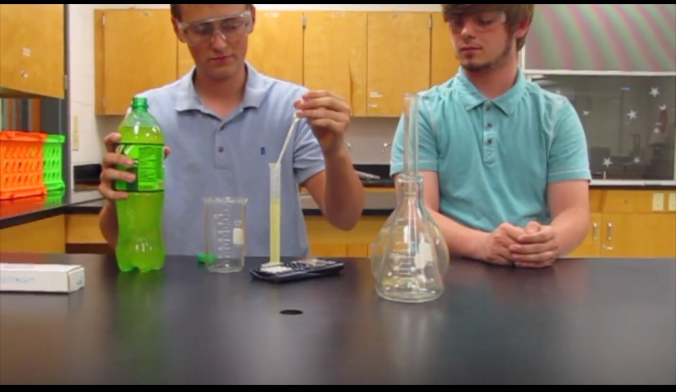
student safety video.PNG
The teams pulled from existing resources and created brand new ones. Many students embedded student-made videos into their Google Slide presentations. Alexis’s team worked hard to make their video entertaining. “We wanted it to be funny because ours was … about doing a write-up,” Alexis noted. “It’s a boring topic for some, so we wanted it to be funny considering our audience [was] teenagers.” As always, some of the biggest learning moments came as students reflected on their work. Hector reminisced, “Out of all of the things that I did that year, I feel like this had the biggest impact.”

Monday, May 1, 2017

Annotation Videos for the Win


Eaton High School students are using features on their Chromebooks to take an active role in their learning. One method to capture their understanding is video; examples include students recording themselves talking through their thinking, recording each other conducting interviews, creating screencasts, and so much more. This article features a unique method of using digital tools to explain their understanding of processes: a digital whiteboard combined with a screencast recorder. Two classes, Geometry and Chemistry, use this strategy to enable students to collaborate on how to solve a problem and then verbally explain the solution while annotating to show details step-by-step.

In Geometry class, students work in groups to create their own word problem to solve a missing component of a right triangle using trigonometry functions. Each group rolled dice to find two numerical components and drew a playing card to determine if the trig function is basic trig or inverse trig. Given just these three simple components, students constructed a unique word problem to introduce a scenario with a missing piece that needed to be solved. Students then worked through solving the problem, each group member providing part of the solution in the video. Once complete, each group submitted their video in Moodle and the next day each class watched all the videos to verify accuracy and vote on the winning video of the class. This activity provided an opportunity for students to be creative in their learning and provide peer feedback on their work.

Geometry Video #1

Geometry Video #2

In Chemistry class, students work together to predict the products of a chemical reaction. Each group is given only the chemical reactants and must combine several steps: identify the type of reaction, predict the chemical products that will be formed, and balance the equation. After first working through the chemical reaction on paper and getting it verified by the teacher, students then recorded their solution using the whiteboard and screencast tools, each student explaining a portion of the solution with their reasoning. Once complete, each group added their video to a shared class Google Slide, in which each slide represented one chemical reaction. This activity provided students the opportunity to work through several steps of a solution from beginning to end, demonstrate their understanding, and contribute to a class set of video explanations. This collective document was then available to all students as a review to help them work through similar problems while preparing for an upcoming exam.

Chemistry Video #1

Chemistry Video #2


These activities are aligned with ISTE Student Standards:

1. Empowered Learner: Students leverage technology to take an active role in choosing, achieving and demonstrating competency in their learning goals, informed by the learning sciences.
1a. Articulate and set personal learning goals, develop strategies leveraging technology to achieve them and reflect on the learning process itself to improve learning outcomes.
1c. Students use technology to seek feedback that informs and improves their practice and to demonstrate their learning in a variety of ways.

6. Creative Communicator: Students communicate clearly and express themselves creatively for a variety of purposes using the platforms, tools, styles, formats and digital media appropriate to their goals.
6a. Students choose the appropriate platforms and tools for meeting the desired objectives of their creation or communication.
6b. Students create original works or responsibly repurpose or remix digital resources into new creations.
6d. Students publish or present content that customizes the message and medium for their intended audiences.

Visit www.iste.org to learn more about the International Society for Technology in Education (ISTE)

Wednesday, April 12, 2017

Digital Learning Can Be a Zoo!


Students at Northwest ISD's STEM Academy recently finished an extensive project across two classes to research, design, and create a functional zoo habitat for a specific type of animal.  Students who were enrolled in both Mrs. Goodwin's Biology class and Mrs. Garrett's Intro to Engineering and Design class used their knowledge from both subjects to informatively create their habitats.

Initial Hand Drawn Plans
Austin, a student who worked on the Elephant Habitat Project, said that "the design part of the project had multiple steps.  The first plans were hand drawn and then scanned in so we had a copy of them.  Then I used inventor to create the digital model of the habitat."  Inventor is a 3D modeling program that offers professional-grade 3D mechanical design, documentation, and product simulation tools.  Student's in Mrs. Garrett's class use Inventor for numerous projects throughout the year, including this one.  "I started by creating a general shape of the habitat, then cut into it with features like stairs, rails, and trees," said Austin.

The project had many parts other than the actual modeling aspect.  Students had to research many aspects of their chosen animal's living needs and incorporate those into their design.  Factors such as natural habitat, environmental niche, food web, behavior, adaptations, and limiting resources were all considered.  Groups created folders in Google Drive to share and collaborate on their project portfolios while completing their research.   "My favorite part of the project was designing the zoo habitat so it resembled a real habitat," said student Marla, who worked on the Harpy Eagle Habitat Project.  "We discovered things during our research that changed out initial designs.  For example, two harpy eagles in the wild occupy an area of over 20 square miles and they typically nest at a specific height.  Because of this, we had to change our initial design which wasn't large or high enough."

Austin agreed with Marla, saying that "concepts for our design were created over and over, including many drafts as we did research."  But not only animal factors had to be taken into account when creating their zoo habitat, as they had to ensure that designs accounted for humans visiting as well. "For example, the [Americans with Disabilities Act] requires that all stairs be between 30 and 50 degree elevation, so we had to take that into account as well," said Austin.
Elephant Habitat Final Project Portfolio
This project incorporated technology for in-depth research as well as informed design using cutting edge modeling software, allowing students to explore multiple facets of what it takes to create a real zoo habitat.  If you'd like to examine some of the projects in more detail, check out the links below!


Tuesday, January 3, 2017

Frankenstein Project Based Learning: It's ALIVE!

Students in Mrs. Day's English I GT class recently completed work on an amazing project based lesson over Mary Shelley's classic novel, Frankenstein.  According to the project instructions, students were tasked with creating a portfolio of artifacts that answered the driving question: Does knowledge or progress ever become a moral liability? Student groups chose their own area of scientific advancement to research, then explored the driving question from different perspectives and considered both the positive and negative effects of advancement. Based on their subject they created four products of their choosing to represent their findings and related them to the themes found in Frankenstein and how they apply to the world today.

The group of Michael, Matthew, Marcos, and Jonathan chose to do their project on robots and the future of artificial intelligence. "This project was fun because we got to put our own spin on it, both by choosing our own products and in how we did the presentation, which we did as a skit," said Michael. Jonathan elaborated that they "appreciated the product list Mrs. Day gave us because we got to choose what digital tools to use in order to more efficiently represent our topic." This way, students not only got to choose the topic themselves, but they also chose what tools to use. This allowed them to represent their thoughts on the subjects they chose as they related them to the lessons in the book. Michael explained that their research gave them a different "perspective on whether people should do things rather than if they could do things."


The group started by using a Google Doc to plan out the project, including their subject, research, pros/cons of the subject, links to resources and products, and even a script for their presentation. They decided to use a Google Slides presentation to present their portfolio of artifacts, which can be seen here:


The group used multiple tools to create their products.  For example, Matthew used Lucidpress to create their preparing for a Robot Uprising pamphlet "because it had lots of built-in design options for making pamphlets."  They used Imgur to create a Wanted poster for a rogue robot.  Marcos said the ability to choose their own tools, like Canva, and create their own products was very helpful.  He explained that it "gave us ideas how to connect things back to the book.  I chose the Survivor Shopping List because I thought that people would need to know what they'd need to survive, similar to what Frankenstein needed."

Check out the presentation above to see all the products as they were presented, which was in the form of an interactive skit.  The ability of these students to choose their route of learning was evident in every step of this project, and is represented in the quality of their products.  "I love the way these students draw comparisons between a novel from 1818 and modern day technology," said Mrs. Day. "These students prove that literature and the lessons it teaches are always relevant."


Monday, November 14, 2016

From Pages of Policy to Personal Practice


Students in Mrs. Wilsie's Tech Apps class at Tidwell Middle School were recently challenged with the task of not only understanding the nine page AUP (Acceptable Use Policy), but also working together to create a resource for other students that would help them understand and apply the AUP as well. Students started the unit by creating norms for group collaboration using Spider Scribe. Next, they used the Google Docs Outline tool to create an outline for the AUP as they broke it down into sections. According to Casen, narrowing down the information was one of the hardest parts. He comments, "At the beginning we felt overwhelmed because there were nine pages of the AUP and we had to use three types of multimedia to show how to follow it."

After understanding what the AUP entailed, students used the Tools that Make IT Click Blog to choose the platform they thought would best relay their information to other students.

A Screenshot of Masongo, Keller,
Madeline, and Logan's Blendspace.
Click HERE to View
When asked why her group chose to use Blendspace for their project, Madeline commented, "I was looking at Tools That Make IT Click and I really liked how Blendspace was orgnanized into boxes. We noticed that we could add links, pictures, and box off information off for our audience." Casen, Soniya, Benaiah, and Fatou decided to use Google Slides so that they could collaborate. They embedded videos, animation, and a Kahoot quiz so that students who viewed their presentation could test their knowledge. Maggie, Corbin, Jacob, and Blake created a newsletter using Tackk. They utilized the "button" feature in order to create a series of hyperlinks to send viewers to various student-created resources. Blake pointed out, "Our favorite part was the skit that we made about AUP. We used Screencastify to record our video."

After starting to work on their presentations, classes had the opportunity to connect with, and interview a few professionals via ZOOM. The video conference allowed students to see that the AUP is a part of the 'real world' and that it impacts adults in the workplace everyday. Students talked to Brooke, who works remotely with IBM in sales and Carrie, the Human Resources Director at Fidelity Investments.


After seeing the capabilities of ZOOM, one group decided use ZOOM to connect with each other even when they weren't all in class. Blake added, "ZOOM was easy to use and we were able to work even outside of class. I liked that you can message each other during the conference, so that we don’t interrupt each other."

At the end of the project, students used Google Forms to give their teammates a rating on collaboration and teamwork. They also shared their final product on a Padlet wall for the class to view and leave feedback.

Students walked away fom this experience with a clear understanding of the AUP and how to apply it to their daily digital lives. They also learned a lot about collaboration and teamwork. Maggie points out, "When we started as a group it wasn’t that smooth, but we got better as we worked together. Team work wasn’t easy at first." Casen sums up the unit by stating, " It would be helpful for other students to view our presentation. We made something that would benefit the whole school."

Tuesday, September 6, 2016

Student Profiling for STEM Success


Students at the Science, Technology, Engineering, and Math (STEM) Academy at Northwest High School started this school year with a project where their goal was to further define what it is to be a STEM student.  The project, Profile of a STEM Student, utilized NISD's own Profile of a Graduate as a starting point, but then elaborated and transformed the profile to their own definition for STEM students.  According to Jayden, a student in Mrs. Garrett's engineering class, "the NISD Profile of a Graduate was too broad for us, so this project helped us design one for STEM that was more specific to what we need to learn for college and our careers."
Project Notebooks


The project consisted of multiple parts: gathering information, generating categories for the profile, building their profile, designing a presentation, and giving the presentation in class.  "We documented every step of the process in our Project Notebooks," said Jayden, "including brainstorming, our presentation notes, and our categories that we designed for the profile."


The greatest part of the project was the opportunity for students to choose their own categories that they thought best exemplified the profile of a STEM student.  While some categories were required by the project instructions (core beliefs, mission, college and career readiness), the students got to choose three of their own, such as work-ethic, relationships, responsibilities, or anything else they thought was most important for them.  Chris and Matt, two students from the same group, explained to me some of their group's choices.  "STEM Academy classes use lots of Project Based Learning, so we chose what we thought was best for that."  For example, "we chose work-ethic as one of our categories because time management and working as a team on a project is important for getting things done, just like in a job."

Mrs. Garrett's class
After assembling their profiles, the groups presented their work to the class.  They also got to choose their presentation medium, as long as it was an online presentation.  Most groups chose to use Google Slides for their presentation.  "It's just easier to use and access," said Mark.  "Collaboration was important, and Slides allowed us to all work on the presentation at the same time."  All the presentations were judged by student peers, with senior students judging freshman projects, in order to give constructive feedback on their first ever STEM presentations.

For students, choice is important.  This project gave them a choice, not only in the project itself, but in creating the ideal profile for the rest of their school career as a STEM student.  Check out the links below to see the project instructions, the grading rubric, and some examples of the visual portion of the student presentations.

Monday, May 16, 2016

Mythical Mayhem: Learning Mythology via Student-Created Game

Athena, Hades, & Zeus... oh my! What's better than a fun online game? One that is fun, educational, and created by students. 

Eaton High School Computer Science and English students have been working together on a cross-curricular project to create an educational game to learn Greek Mythology. English students supplied details of several gods and goddesses they learned in class, including storylines, attributes, strengths, weakness, etc. to Computer Science students, who are using their Java programming skills to create an educational game. The goal of the game is for players to learn about Greek Mythology characters, advancing up multiple levels based on the players' demonstrated knowledge of each character.


Students are facilitating this project in Google Drive and used Google Folders to organize the content, planning documents, resources, graphics, and student-created video progress updates. As the "customers", English students and their teacher were able to collaborate in Google Docs to model a real-world game design contract to ensure all parties were in agreement on the details of the final product before any coding began. Now that the Computer Science students are in development phase, with a project manager, coding team leader, and graphics team leader, all ensuring the details of the project are progressing smoothly. One of the most powerful components of this project is the series of progress videos that students create. A portion of one of these videos is below:


This project is still ongoing, so the game is not yet complete. This short screencast shows the look and feel of the game thus far:


Not only is this project fun and educational, students are also demonstrating several technology skills they are expected to possess in order to be future ready learners, including:
  • Creativity & innovation: Students demonstrate creative thinking, construct knowledge, and develop innovative products and processes using technology.
  • Critical thinking, problem solving, & decision making: Students use critical thinking skills to plan and conduct research, manage projects, solve problems, and make informed decisions using appropriate digital tools and resources. 
  • Communication & collaboration: Students use digital media and environments to communicate and work collaboratively, including at a distance, to support individual learning and contribute to the learning of others.

To learn more about Eaton's Computer Science program, follow them on Twitter: @EatonCompSci

#WillCodeForDonuts