Showing posts with label GATES. Show all posts

Monday, November 29, 2021

Mad Libs: A Super Silly Way to Fill in the _____________!

Raise your hand if your childhood memories include completing a couple of pages out of your newest Mad Libs book?! This popular game debuted in 1958 as interactive short stories, where those reading the short stories were prompted to fill in the blank for words that had been omitted. The missing words or phrases would be assigned a specific category or part of speech, such as noun, verb, place, exclamation, and so on. Upon completion, the story would be read aloud. Usually, the story would end up being quite funny and somewhat nonsensical. Countless hours of entertainment were sure to be had.
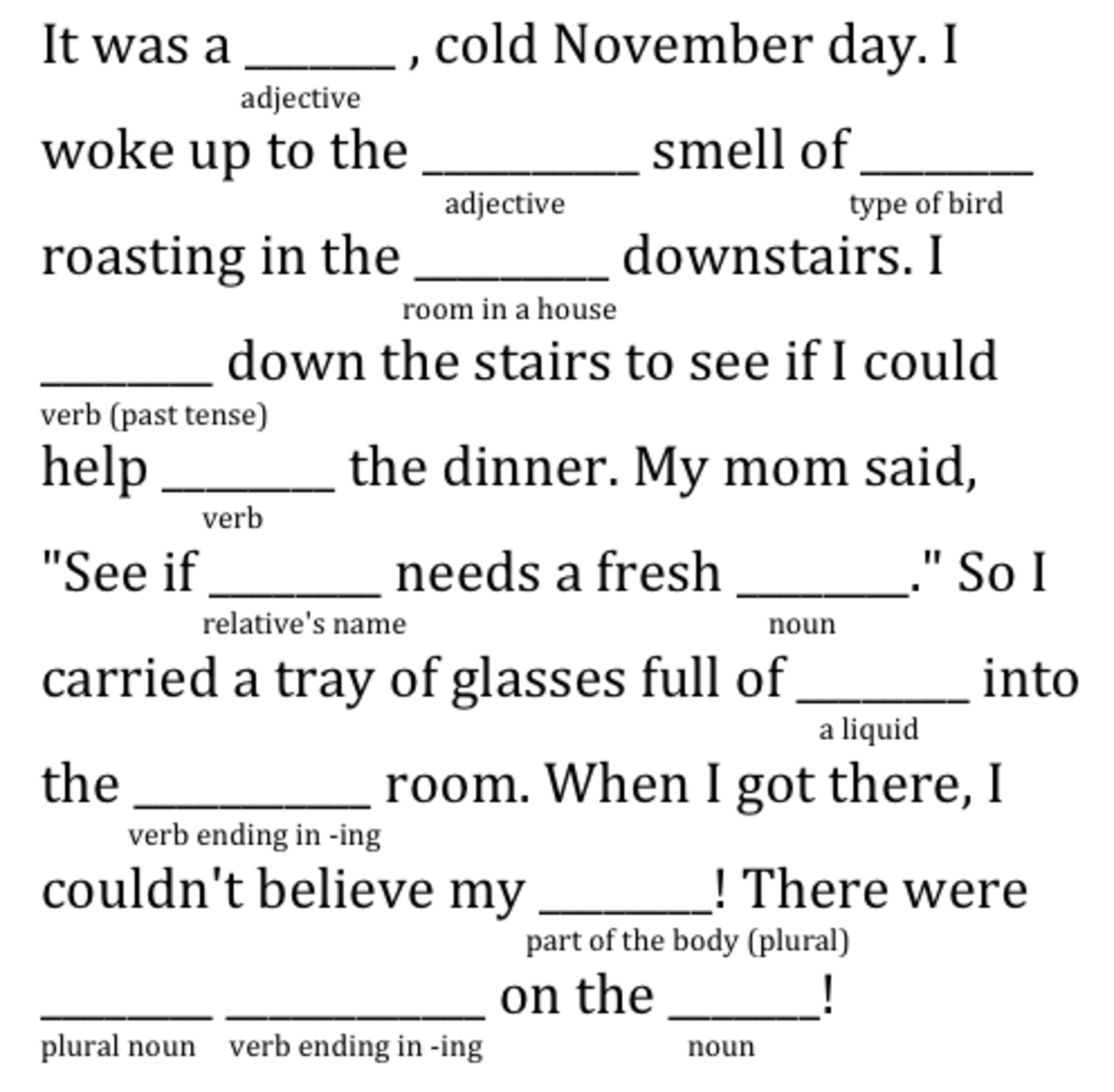
Mrs. Pickett at Beck Elementary introduced her fourth-grade GATES students to this familiar favorite. It didn’t take long for them to catch on and they looked forward to completing new ones during their class visits. Of course, Mrs. Pickett knew these Mad Libs would be entertaining, however, she also knew how they could help reinforce very important grammar skills and challenge their thinking. To successfully complete Mad Libs students needed a clear understanding and working knowledge of the different parts of speech, or their finished story would not make sense.

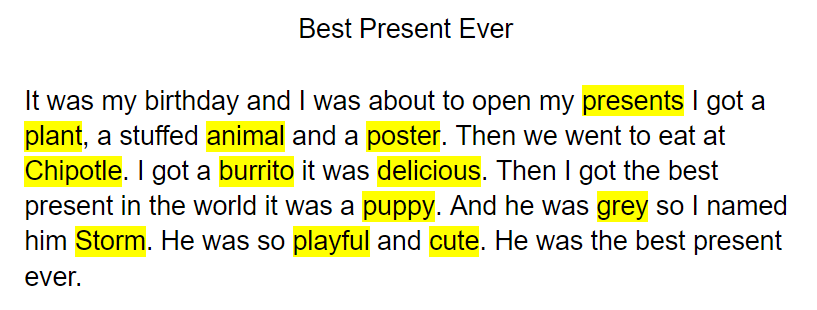
The real challenge came when students were asked to compose their own Mad Libs. They begin with writing short stories about a topic of their choosing. They made sure their story had a clear beginning, middle, and end. When students struggled with coming up with a topic, they were encouraged to write about their favorite candy or something they ate for breakfast that morning. When writing Mad Libs, literally, anything goes!


Once students completed their short story draft, it was time to reread and decide which variables to remove. The variables would be the missing words in their Mad Libs. Because their stories were drafted in Google Docs, students highlighted the variables and identified the part of speech. Careful thought went into selecting which words would be the best variables. Students had to think through scenarios that would result in the most effective, and often humorous, outcome. After all, the fun part of Mad Libs is reading the finished story. 

Using Flippity.net, students were then able to digitally publish their short stories in a Mad Libs template. Through using this templated Google Sheet, students became more versed in working in Sheets. They became familiar with the terminology used in spreadsheets, such as rows, columns, and formatting. Once the template was finalized, students published their Google Sheet to the web for sharing purposes. Since most 2nd - 5th-grade students are consistently spiraling back through grammar skills, it was a goal for completed Mad Libs to be shared with the campus.
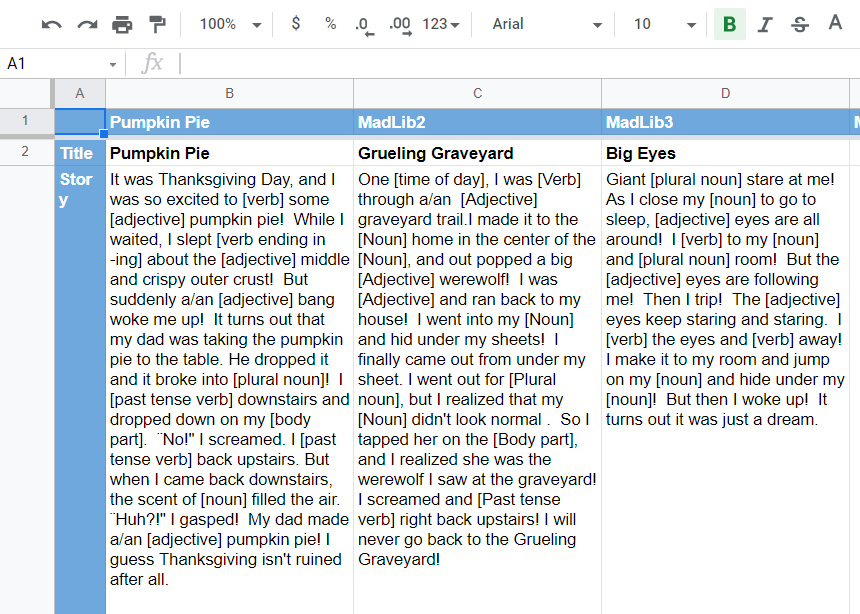

Knowing these completed Mad Libs would be shared campus-wide was motivating for students. They were careful to spend quality time revising and editing their work because their audience was authentic and they wanted to share with pride. Revisions were made again and again as careful thought was given to the various possibilities of responses the Mad Libs may receive. They wanted to make sure the variables were descriptive and specific enough to produce an end product that would 


To say these students were engaged in this work would be an understatement. Mrs. Picket said it was incredible to see her students collaborating with one another as they thought critically about the decisions they made to produce their Mad Libs. Students were bonding and building relationships through the process too. The laughter was an added bonus. Countless giggles were shared as students read aloud completed Mad Libs and shared their work with families via Seesaw. This provided them with extra practice with fluency and reading with expression. 
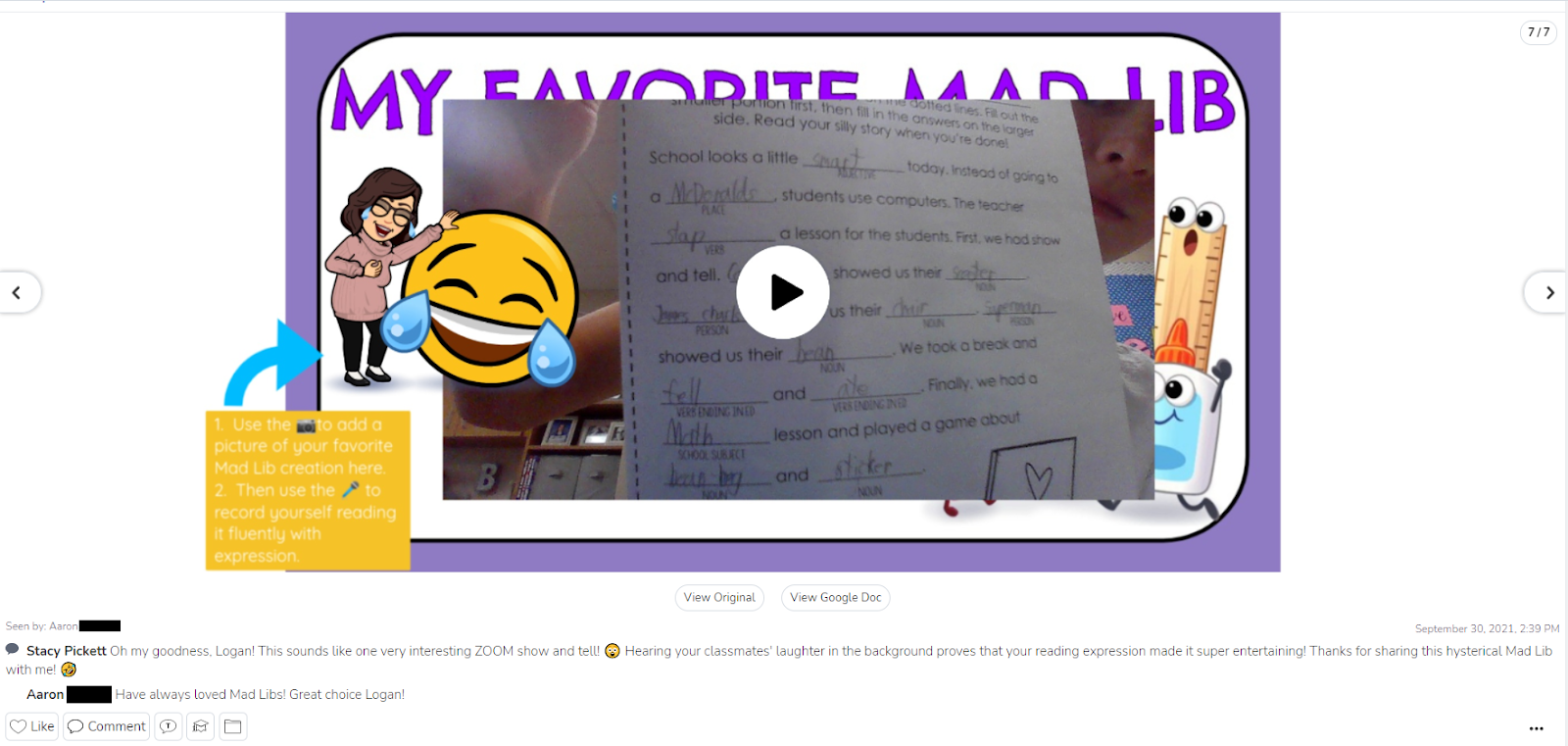


We invite you to explore the Mad Libs created by the 4th grade GATES students at Beck Elementary. Share the Google Slides via Google Classroom or Seesaw. Then we’d love to hear from you. Share out on Twitter tagging @beckelem, @BES_GATES, and @kel_sanders. We can’t wait to share with these students how their work has reached others. 


Shout out to Mrs. Dixon's class for diving into these student-created Mad Libs before the break. 

Monday, September 20, 2021

Setting Kids Up for Success

How nervous are you on the first day of anything? First day of school, first day of a sport, first day of a class you have not been to in over a year and a half.  Some things are familiar but still the nerves set in. The majority of Mrs. Conrad's fifth-grade gifted and talented students have been in her class for many years and know her expectations for them as leaders of JC Thompson Elementary. This year though is a little different. Times are different, and the way we have to approach our kids' learning can be different. Mrs. Conrad knew this and knew she had to set her kids up for success! 

Executive Functioning skills are needed to plan and achieve goals. Kids need to know these skills for life. Home life, school life, and even their tech life. At the beginning of the year Mrs. Conrad sets time aside to get them organized and set up for a successful year in GATES.

On day one, they were given their learning target and goals for this year.  To get them started she had them declutter their Google Drive by creating new folders, coloring folders, and archiving last year's work.

They updated their ePortfolios to reflect their 5th grade year and updated their All About Me pages. Another skill that Mrs. Conrad found useful for her kids to be successful throughout the year, is to have an email signature, so they got started. After showing several examples and talking about what needs to be in an email signature and why it is important, the kids created their own. Check out this example from one of her students.


Their next step is to write a professional email to their principal, asking her for permission to create video announcements this year for the entire school. It is the heart of the year and what students will be focused on.  Creating something like this from scratch takes a lot of planning, organization, and flexible thinking. We look forward to watching these kids' creations come to life.


All of the skills these kids are getting at the beginning of their year will set them up to be Future-Ready students for a lifetime! Organizing, Planning and Prioritizing, Task Initiation, Self-Monitoring are all being done in this classroom as expectations for a good year. We will have to check back in on them when they get their video announcements up and running and see how far these life skills are taking them! 


Setting our kids up for success is a no-brainer, but we can't forget about their digital lives as well. By setting norms and giving them time to organize, declutter, and update their digital space, the year will be on the road to success. 


Monday, October 7, 2019

Ozobots for the WIN!


Over the last year, Beck Elementary has been building its inventory to kick off and launch a campus STEAM Lab. As an extension of the classroom, this lab allows students and teachers to make cross curriculum connections and extend their thinking in the areas of science, technology, engineering, arts, and mathematics. The most popular additions to the lab have been the LittleBits, Keva Planks, and Ozobots.

The Ozobots, specifically, have been kid tested and teacher approved as a way to promote critical thinking and problem solving. These codable robots can inspire students to design a path using color coded markers that demonstrate, imitate, represent, or even illustrate a particular concept. The sky's the limit with these tiny bots. Teachers have collaborated with the campus Library Media Specialist, Jenny Martin, and one of the campus GATES teachers, Shelly Moses, to design rich learning opportunities focused on content across grade levels.

Bulleted below are just some of the innovative ways the Ozobots have been integrated into classrooms over the last year:


For more lesson inspiration check out the Ozobot lesson library portal and follow the Beck Elementary STEAM Lab on Twitter. Happy coding!

Monday, September 23, 2019

When Characters Come Alive

Kirstie Cooper’s ELA class at Adams Middle School is one that students are consistently engaged, challenged, and having fun. She takes everyday lessons and turns them into learning experiences for her students. 
"All Summer in a Day" is a Science Fiction short story by Ray Bradbury. Cooper gave her students a digital copy though Google Classroom, which streamlines the process of sharing files between teachers and students. As they read the story they used Kami to annotate the text. Students focused on the characterization of Margot as they read.When finished, an analysis of the text which included looking at elements such as point of view, figurative language, and theme was done. Once students completed that task, they began compiling all of their knowledge of the text to incorporate into the final task.


To begin, Cooper used Flippity to do a random group generator. The kids weren’t thrilled that they didn’t get to choose groups, but Flippity eliminated that potential management struggle. Next, students created a Google Doc, which they collaborated with each other on, shared with the teacher, and begin creating a script. Students were tasked with creating a “talk show” style script where there would be hosts who interviewed the two main characters of “All Summer in a Day”, Margot and William. Students had to create 3 questions per guest and formulate their response based on inferences from the text and the characterization of Margot and William. Finally, once students finished their script, they used Flipgrid to record themselves hosting their talk show. This gave quiet students a voice, it allowed us to see the profound thoughts you didn't know were there, and took their learning to a deeper level than you thought possible for this learning opportunity.
Student Talk Show Example


Student Talk Show Example

Monday, May 6, 2019

Philanthropy Partners: A Collaboration Between Elementary Schools

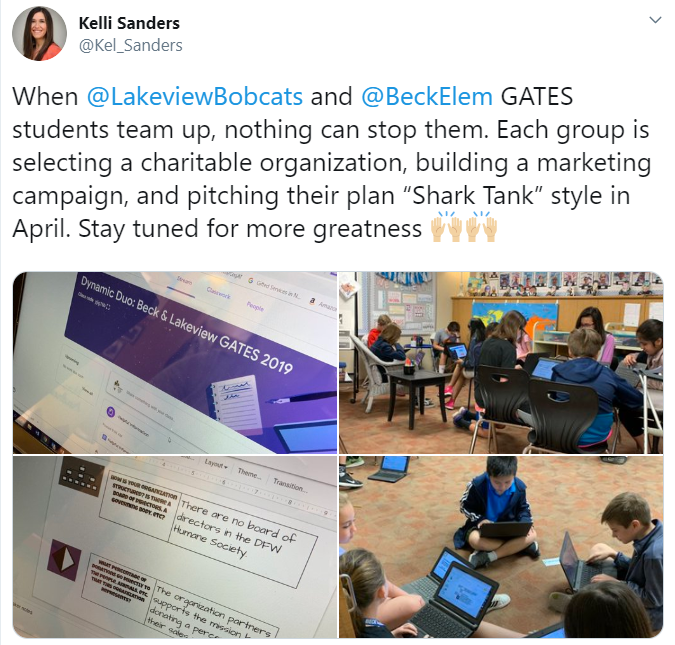
The spring semester brings about a lot of change. One of the biggest changes is the anticipation for current fifth graders, as they begin to think about and prepare for middle school. The transition into middle school can be challenging. To help ease that transition, the GATES teachers at Lakeview Elementary (Mrs. Andrews & Mrs. Blake) and Beck Elementary (Mrs. Moses & Mrs. Pickett) teamed up for a dual campus philanthropy project. 
By definition, a philanthropy project promotes the welfare of others, expressed especially by the donation of money and goods. Students were tasked with choosing a nonprofit organization within the community that aligned with their own unique passions and interests. For Ella, having a voice and choice was very important. “I like that we got to pick our own interests and that we didn’t have to do one thing and one thing only.” A variety of organizations were researched, with the primary focus being children, women, senior citizens, the homeless, veterans, animals (domestic and wild), literacy, environmental issues, and sports. Once students had a general idea on the type of organization they wanted to pursue, they completed a Google Form which helped teachers group them with peers. 


The groups were made up of students from both campuses. This meant some of their group members would not be available for face to face collaboration on a daily basis because they were at another school. Nakkitha was especially excited about the cross-campus collaboration. “I loved how we got to collaborate with people outside of our school because we got to meet new people and make new friends”. As group members dove into more specific research on their common interests, they utilized Flipgrid and Google Slides to communicate. These platforms allowed group members to continue the “conversation” even after their scheduled GATES time was over. Check out this Mixtape to hear a sampling of the group interactions. A walking field trip from Lakeview to Beck was also planned into their work time to allow groups face to face interaction.

Click the image above to view Shark Tank presentation
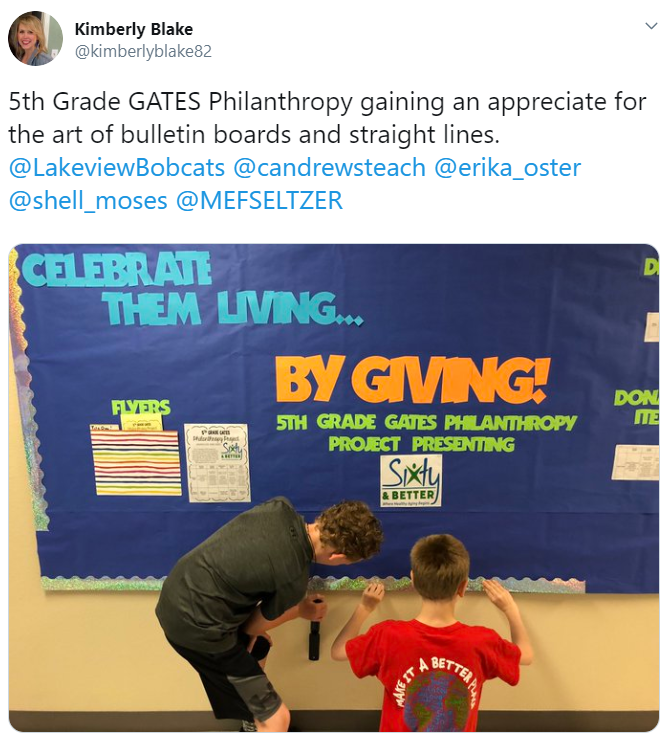
Groups were tasked with creating a digital presentation and pitch to be presented Shark Tank style. Their presentation would introduce the organization, explain why that organization was selected, and share how the community could get involved. They would also have an opportunity to present their marketing plan, which would include plans for advertising their project at both campuses. Groups created mockup flyers, commercials, scripts for announcements, dress up day calendars, bulletin board plans, and social media posts for the panel of “sharks” to consider. 

Click image to view the student created commercial
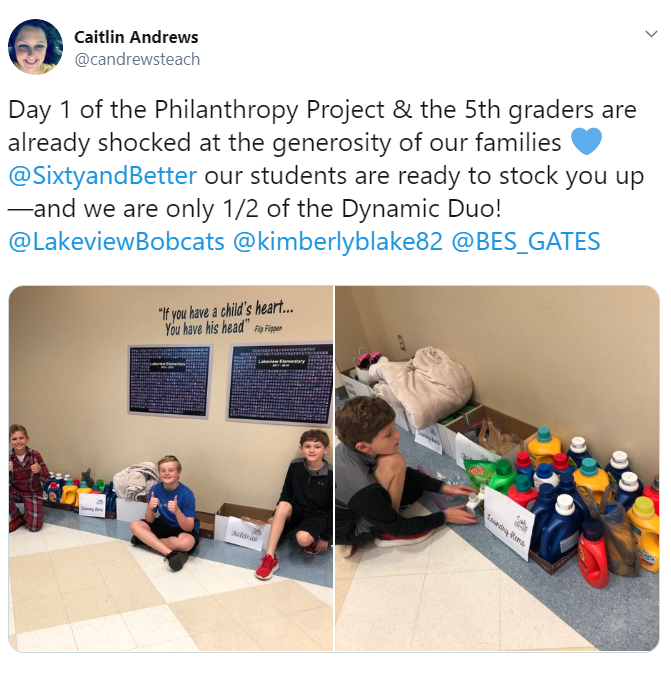
Both campuses came together for pitch day. Groups were able to share their presentation with the panel and their peers. The shark vote, coupled with the student vote, determined which project would be selected and rolled out at both campuses. The group representing the organization Sixty and Better was selected. At that point, the marketing plan from the student presentation began coming to life at Beck and Lakeview through campus-wide dress up days and a donation drive. Students in the GATES classes were each assigned a role in ensuring the logistics for the project were handled appropriately on their campus. Shashwat was one of the project managers. “I was in charge of keeping everything organized and well managed. This has taught me how to be a good leader and that as a good leader, patience is important”. It did not take long for all students involved to get plugged in. They were eager to be a part of something bigger than themselves. Check out what some of these students at Lakeview had to say. They made their podcast debut with an episode dedicated to the work being done for Sixty and Better.


Service learning projects are powerful learning experiences for all students. As Social Emotional Learning becomes a bigger focus throughout the district, these types of projects help students become responsible decision makers. They build social awareness, self-awareness, and relationship skills. They foster one’s personal well-being and the importance of self-management. They impact the whole child. For more information on other service learning projects happening at Beck Elementary, take a listen to the latest episode of the Bulldog Bulletin.

Final numbers from the campus donations will be posted to the blog upon the project’s completion. Please check back soon!

Monday, December 10, 2018

Gettin' Sketchy With It!


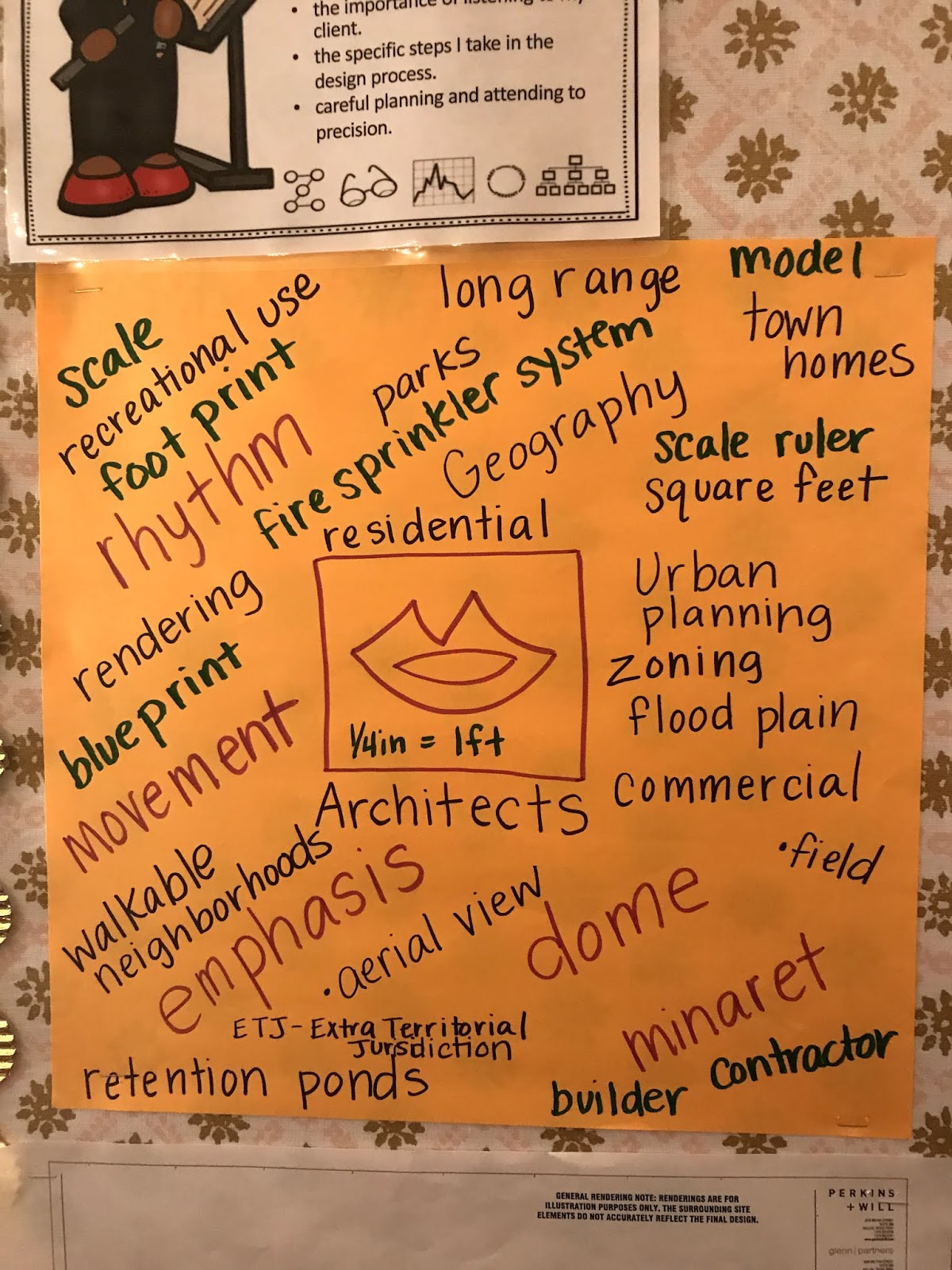
Third grade GATES students at Lakeview Elementary have been focused on Architectural Design. As an introduction to their learning, Mrs. Blake read aloud Iggy Peck, Architect by Andrea Beaty. They also spent time researching famous structures around the world using various depth and complexity icons to identify patterns, details, and how their structure has ethically impacted the environment. This then led into an architectural details hunt, where students viewed houses and identified exterior details from their research. Their language of the discipline deepened throughout this initial study as students prepared to design their own city.

With inspiration from Iggy Peck’s Blue River Creek Challenge (found in the Iggy Peck’s Big Project Book) students began focusing on attributes of a town and what it should include. The components outlined in the book included: school, library, factory, office buildings, shops, city hall, zoo, fire/police stations, and a building design of their choice (ex: a church or museum). Students set to work on creating their own town with the outlined parameters. As part of the project requirements, they were tasked with creating both an aerial and street view rendition of their town.


As part of their studies, experts from the field visited their classrooms. Brandon Blake, from Blake Architects, visited to discuss the design process from the architect’s perspective. He showed students examples of blueprints and models from projects he’s personally been a part of. These artifacts provided an up close look at how important scale images and models are to both the client and the builder. Blueprints and scale models allow both parties to visualize the client’s request and identify areas that need additional attention to detail. He stressed the importance of getting to know the client and understanding their vision. 


Lisa Payne, Town Planner in the Community Development department in the Town of Trophy Club, also visited to discuss urban planning. She deepened their thinking by sharing the importance of long range planning that is mindful of the community and its resources. Relevant information was introduced as she spoke about future projects planned for the Town of Trophy Club. One of the projects specifically shared was the Byron Nelson Field House, currently under construction. Knowing that many of these third graders will one day utilize that facility brought much excitement to the room. 
During both of these visits, students were able to ask the experts questions that would lead them to be more successful in their own design process. They developed a language of the discipline that would be carried with them throughout the project. It was especially neat to watch students roll up their “blueprints” in true architect form, just as they saw Mr. Blake do during his visit. Annabell said she has enjoyed this study because, “as a little kid you might want to grow up to be an engineer and this project is a really great start”. Providing relevant, real world experiences for students can open the doors to so many possibilities. 


Initial designs were done by hand on paper as students made decisions for how their town would be mapped out. Once their drafts were complete, it was time to begin digitizing them. Google Sketch Up was the tool selected for students. Sketch Up is a 3D modeling tool that proved to be the perfect solution for bringing their towns to life. As a way to familiarize students, Sketch Up provides a curriculum of tutorials for all levels. Students were introduced to the tool by completing the Turtle Sandbox lesson. This lesson provided foundational skills necessary to be successful with the tool, such as learning basic navigation within the tool bars, learning to draw circles and turn them into cylinders, and learning to add color/texture to designs from the materials library. Natalie was excited to share her Sketch Up thoughts as she found value in the ability to let “her imagination to come to life on her computer.”


Their digitized town projects are still a work in progress. Ilaisaane has found herself thoroughly engaged and challenged throughout this project. “I love that I can see my town from all different angles and I can easily see what needs to be improved. The most challenging part was designing my town. There are so many things I want to include, but only a limited amount of space.” Mrs. Blake is very excited about submitting their finalized projects to be considered for Expo presentations. Students would like to present their towns, give a demonstration of Sketch Up, and possibly provide an interactive session where participants can design something of their own. Either way, this group of students can’t get enough of the design skills they are acquiring and they are eager to share their new learning with others. Stay tuned!

Monday, October 1, 2018

Podcasting: The Chronicles of the Gifted & Talented

Students in Mrs. Flores’ 7th grade GT ELA class ended their spring semester reflecting on the learning and growing that occurred throughout their year together. As an outlet for sharing their reflections with others, the class delved into the world of producing podcasts. It proved to be an excellent opportunity for students to let their creative and fun personalities shine.

Podcasts are being used to educate others on a particular topic, to entertain an audience through storytelling, or even just to share about personal experiences. With a wide range of topics available, it seems as if there is literally something for everyone. Podcasts are definitely growing in popularity across all generations. Even knowing this, Mrs. Flores was unsure how many of her students had personal experience with podcasts. To ensure the project’s success, her first plan of action was to provide her students with age appropriate podcast episodes that might peak their interest. From the list she provided, she encouraged them to listen to a variety of episodes paying special attention to their format, music, and special sound effects.


As a class, it was decided the name of the podcast would be The Chronicles of the Gifted and Talented. Each student was then responsible for contributing an episode. In thinking about the content/topic for their episode, Mrs. Flores encouraged students to think about their accomplishments from the year. What elements stood out? What reflections from that learning can be shared with others? 

“I think one of the things I liked most about the project was the amount of freedom we had. Sure we could only use the topics that we covered in class, but the topics were so broad that it wasn't very constricting.” Ella was not alone in this thinking. Students were very excited about choosing their episode idea. Topics were selected and more intentional planning and deeper thinking occurred to help generate content. Careful consideration to following questions was encouraged:

  • How has this aspect of our class made a positive impact on you?
  • How will you use this topic to inspire or entertain your audience?
  • How can you share an interesting perspective or a unique “take” on this topic?
  • What will the tone of your episode be?
  • How will you create that tone?
  • What resources & information will you need to write your script?

It was also important for students to think about their listeners. While current and future students were the target audience, the likelihood principals, teachers all over the district, and other administrators would take a listen was high. For the podcast to gain the attraction of others, they would need to be carefully planned and thought out. Catchy titles, attention grabbing introductions, and sharing the why behind the chosen topic definitely helped. Some students even chose to create advertisements for relatable sponsors to be endorsed during their episode.

Although individuals were responsible for contributing their own episode, students were working with their peers throughout the entire process. It was during that collaboration phase that they were able to give and receive feedback on each other’s episodes. Many of the students also helped co-host a peer’s show. Natalie said it best, “I really enjoyed applying what I learned throughout the school year, and being able to review the year in a fun and creative way. I loved seeing my friends projects and participating in them.” Final podcast were edited using Beautiful Audio Editor and then exported to Google Drive, where they would ultimately be shared with the class. Students had a bank of resources for royalty free music and sound effects they utilized throughout the project as well.

And, now for the moment you’ve all been waiting for… explore some of the class podcasts linked to the images below. If you are interested in finding podcasts that may be appropriate for your students or yourself, be sure to explore the Best Podcasts for Kids resource. Check it out, there is something for everyone!


Monday, April 30, 2018

Pixel Art is "Completely Awesome"

Pixel Art has quickly grown in popularity, again. There are apps and websites galore when you do a search in an app store or online. Mrs. Pickett at Beck Elementary knew pixelation would be something fun for her GATES students to explore, while equipping them with valuable knowledge of Google Sheets. She was also excited about the opportunity it would create for curriculum enrichment and the extensions in the classroom were plentiful. Before trying their hand at pixel art, students first began to learn about its history. Of course, the biggest buy in for many of her students was learning that the ever so popular classics, Super Mario Bros and Zelda, utilized pixelation. To quote William, a student in her class, "it is completely awesome!"

As an introductory activity, Mrs. Pickett shared a template with students in Google Classroom. This template was created in Google Sheets and exposed students to conditional formatting. Their excitement was instant as they discovered that the empty template would soon contain a piece of their own creative art. Using these templated Google Sheets, it quickly became something that could serve as extension to the learning happening in math. Thinking about recent learning regarding fractions and decimals, students could be prompted to create a picture that was ⅓ green or .1 white. The possibilities were endless. This kind of higher level thinking merged their mathematical learning with creativity and problem solving. 

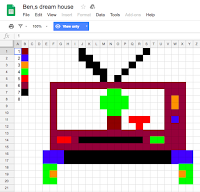
Their exploration and creativity continued, as a design challenge was issued. After listening to the book, The Big Orange Splot, students had the opportunity to discuss perspective and how it’s different for everyone. Their challenge was to design a house that was completely unique. Students were asked to consider what it would look like and to have it be a reflection of their own personality and dreams. Step one was to draft their pixel house on graph paper. This allowed students the opportunity to think through their color choices and refine their pixel design skills before moving it to Google Sheets.

Having experienced the formatted Google Sheet template Mrs. Pickett provided at the beginning of their study, students had knowledge of the process. It was then time for them to learn how to format a sheet that would support their house design. Students were encouraged to watch this tutorial video to gain knowledge on the process of conditional formatting. It was important that their template and color pallet matched the design they drafted. Of course, lots of problem solving and creativity took place as students worked on making it just right. Designs with curved lines were a welcomed challenge.

For many, this process became something they enjoyed doing. It was not uncommon to find students fully engaged in the conditional formatting and pixel art process during any free time they had. Rainy days, which meant indoor recess, were welcomed because they could pull out their Chromebook and continue working on their design. Drew said he enjoyed learning about pixel art because, “there was no limit to my imagination."

Mallory found the tasks to be fun and inspiring. She is hopeful they will have more time to explore and create again soon. And she’s not alone. Several students extended their newfound knowledge of conditional formatting and decided to create their own server of games. William, one student who contributed to the game, said the most challenging part was, “the color formatting, because if we got a single thing wrong it would fail."Learning to work collaboratively and problem solve through the tough times made this a task they will never forget.

One of the coolest parts of this process for Mrs. Pickett was the level of engagement and problem solving her students experienced. She saw value in learning about Google Sheets and knows this early exposure will certainly pay off in the real world for her students


Tuesday, February 20, 2018

Students Teaching Students

Many students in Northwest ISD have the opportunity to take part in accelerated math courses. In some case this may mean the student is taking a course one grade level higher than the one they are actually enrolled in. For Steven, a fifth grader at Lakeview Elementary, it actually means more. As a third grader he took fifth grade math. As a fourth grader he took sixth grade Pre-AP Math. His knowledge and passion for math have been evident for a few years now. He is currently taking seventh grade Pre-AP/GT Math, receiving his daily instruction from Mrs. Horeftis at Medlin Middle School. 

Being aware of his giftedness in math, Steven was self motivated to support his peers as they work through their math curriculum. Creating instructional videos to reinforce concepts being taught in fifth grade seemed like the perfect solution. He was certainly up for all the challenges that he might face along the way. With the support of his teacher, Mrs. Bingham and his GATES teacher, Mrs. Andrews, a plan was established and Steven got straight to work. 

Currently, a handful of instructional videos have been created by Steven. He uses an app called Doceri that allows him the ability to introduce or review a concept all while annotating the screen to show work and explain his thinking. Creating instructional videos for your peers takes a lot of problem solving and preparation. It’s important to know exactly what you want to say and how you’ll say it, so others can learn from you. Steven expressed how challenging that could be at times by stating, “The most challenging part was making sure I didn't stumble or say the wrong words when I was recording. That was difficult because I had to know exactly what I was going to say and if I messed up a few times, it might take me thirty minutes to make a one minute video.”

As it is commonly heard, we know we fully understand something when we can effectively teach others. And teaching others, especially your peers, is so empowering for young learners. When asked what he has enjoyed most about this process, Steven said, “I like being the “teacher” when I created the videos. The best part about being the teacher is that you can use a lot of resources to help student learn quicker and understand it better”.

Once the video has been created, it’s uploaded to YouTube, it will be assigned to students via EdPuzzle. EdPuzzle allows videos from YouTube to become a formative assessment that is fully interactive. The teacher, or Steven in this case, can designate stopping points throughout the video to check for understanding and measure engagement. These stopping points can be a quick multiple choice question or a short answer typed response.

Steven and his classmate, Haley, will be presenting this project at Expo 2018. Together they will share about the impact these instructional videos have had in the classroom. As the year progresses, it is Mrs. Bingham’s hope that the videos will become a station students can rotate through when they are needing support


Tuesday, November 28, 2017

Multiple Intelligences = Multiple Products


Do you know your strengths? Mrs. Champion’s 5th grade GT class at Hughes Elementary School recently did some self reflection and explored multiple intelligences. After taking a survey and watching Soar (a five minute short film), students identified their highest scoring multiple intelligence. They learned that knowing their multiple intelligence can help them solve problems, communicate ideas, and work with others. Students were asked to create a product, using the tool of their choice, that would allow them to discuss the Soar film using one of their high scoring multiple intelligences. They truly took ownership of this project and created a product unique to their own strengths.


Keet decided to focus on “Music Smarts.” Keet created a rap by Mara and Lucas (characters in Soar). He also chose to pull in his classmate Josh to help him. Keet commented, "Josh and I came together as a team. I could have done the rap alone, but I chose to add Josh because he's really good at editing video." Josh and Keet used Sock Puppets for their rap because they thought it would portray the characters well and make their class laugh.

Josh focused on "Word Smarts." Soar is a silent film, so Josh decided to create a comic that would predict what the characters were thinking and saying during the film. “I enjoyed coming up with what each character could have been thinking,” commented Josh.

Macy and Connor focused on "Body Smarts." They collaborated to build a model of the plane built in Soar. They used a Google doc to collaborate and created a summary of their model. For Connor, the most enjoyable and challenging part of the project was building the plane. "It was fun learning that we could use classroom scraps to build a plane." He added, "we had to try multiple times to get our model correct."

One neat aspect of this project was that learning was differentiated for each student. Some built digitally, some built models, some created visuals, etc. 


Intentional Feedback: 
All students shared their final product on a class Google Slides presentation. This allowed students to not only learn from each other, but also to leave intentional feedback. Students gave specific feedback, received feedback, and made changes based on the feedback of their peers.


ISTE Standards:
  • 1C: Students use technology to seek feedback that informs and improves their practice and to demonstrate their learning in a variety of ways.
  • 3C: Students curate information from digital resources using a variety of tools and methods to create collections of artifacts that demonstrate meaningful connections or conclusions.
  • 4A: Students know and use a deliberate design process for generating ideas, testing theories, creating innovative artifacts or solving authentic problems.
  • 6A: Students choose the appropriate platforms and tools for meeting the desired objectives of their creation or communication.
  • 6B: Students create original works or responsibly repurpose or remix digital resources into new creations.

Monday, December 5, 2016

Do You Know Your Brain?

Can you name all the parts of the brain and their functions? No worries, Mrs. Smith's 5th Grade GATES class at Schluter Elementary has you covered. Students embarked on a cerebral adventure in which they created original work to showcase their knowledge of the brain. Students could choose any digital tool, and their resulting products reflect each student's passion for learning.


"We made a song about the brain parts as a parody of the song Heathens. We went on YouTube and found background music. We kept on thinking of things that would fit in, if the words went with the song. We alternated between our lyrics and the rhythm of the music to make sure they matched. I don't think we would have been able to do this project without technology. We had fun and we learned more about the brain by making the song."
~Luke & Christian 

"We needed to find a way to teach people about the brain, in a more fun format. We chose to do a parody of YMCA. You have to find research, a lot of beforehand research. We used a notebook to write lyrics and multiple devices. It is easy to decide on the lyrics by finding the lyrics to the original song online and as you go along, you change out the words for what you want it to say. Then you get a device to record. We used a piano version of the music, which felt slower than the original version."
~Brandon & Trevor


"The purpose of this project was to explain what we've learned about the brain and our growth. Working with Powtoon was hard at first, but we liked it because you can express it in different ways, how you feel about it. We learned more about the brain from doing this project because you have to write it out and research and really have to think about it and plan it out a bunch. I shared it with my parents and they were amazed and proud of me because they liked how we expressed it different ways." ~Brylee & Kendall


"I've used Google Slides before; for each slide, I chose what went together. If we didn't have technology, I probably would have made a poster. I prefer Google Slides instead of a poster because it is neat and organized. If we didn't do the project, I wouldn't have wanted to learn more about the brain." ~Lucy 


"I did a Smore and I wanted to use it differently than I have before. When you share a Smore you can look and see where it went and who saw it, all over the world. For Smore, you can look more about what you're working on, which you can't do with a poster. We didn't go full-on in class about the brain, so this project let us go in more detail and learn more." ~McKenzi


These student products not only teach others about parts of the brain, they also showcase how these future-ready students are empowered learners, innovative designers, and creative communicators, standards described by the International Society for Technology in Education.


Monday, September 19, 2016

Math, Virtually Anywhere

Students at Lakeview, Peterson, Sendera Ranch, and Nance are taking part in their very first virtual classroom. Each morning, students arrive at their designated location and connect with their teacher and classmates via Zoom on their Chromebooks. These 4th and 5th graders are taking an Advanced Math course with Lakeview’s GATES teacher, Mrs. Andrews in Northwest ISD. Mrs. Andrews is innovative in the way she delivers content to all of her students through a variety of platforms. She provides opportunity for collaboration for her students and has a constant presence in their learning beyond the four walls of her classroom. The relationships she has built with her students, both in person and virtually, provide a necessary foundation for this class' success.

Students are able to access all course content through Google Classroom. This can include instructional videos, presentations, links to resources, and so much more. Together they have been able to experience the world of online learning and discover what it means to be part of an online community.


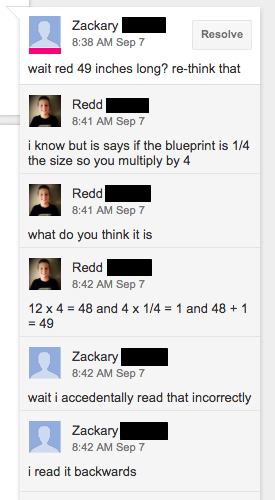
forblog.pngActually working together to complete a task in their virtual classroom has been a new experience for them all. While being connected through Zoom, students have used Google Slides to collaborate during the work period. Zachary shared how that process works, “Since there's a chat button we chat to each other to share our ideas with each other.” Braylen goes on to say his collaboration in Google Slides is primarily done through the commenting feature. He and his partner are able to compare their answers and discuss any differences by leaving each other a comment. Both boys see great value in working collaboratively with their peers, both in person and virtually.

When asked what Zachary has enjoyed most about his experience in a virtual classroom, he said, “I like this because we get to connect with other people, learn new ideas from them, and work together with new classmates who have different math skills than everyone else in the classroom”.