

Showing posts with label Wilson Middle School. Show all posts
Showing posts with label Wilson Middle School. Show all posts
Monday, February 27, 2023

Wednesday, October 10, 2018
Supporting the #Wildcatway Reading Initiative
The Wildcat Way is more than just a motto at Wilson Middle
School. Over the summer, teachers put down their beach reads and picked
up Disrupting
Thinking: Why How We Read Matters by
G. Kylene Beers and Robert E Probst in an effort to better understand
ways to foster a culture of reading across campus and provided
opportunities for collaboration through ways to disrupt our thinking about
reading.
It was from this book study, teachers Helen Read, 7th grade ELA, and Matt Norris, 7th grade Math, crafted “The Wilson Review.” The Wilson Review is a process of creating and posting digital video reviews for students and staff. The goal of the showcase board is to get students interested in books as well as to share the books they love so that they can get inspired to read. Students can access the reviews via teacher Moodle pages and Google Classroom courses. The Reviews are also on display outside Ms. Read’s and Mr. Norris’ classrooms on a large bulletin board where students and teachers can use their mobile device to scan the QR codes.


While the activity of having students submit book reviews
might seem somewhat mundane,
these two teachers took it up a notch by allowing students to use FlipGrid as a
tool for recording
their review. In the world of Instagram and SnapChat selfies, what a better way to relate to
students than asking them to record their book review.
their review. In the world of Instagram and SnapChat selfies, what a better way to relate to
students than asking them to record their book review.
Flipgrid is
place where you can verbalize your learning. Flipgrid was purchased by Microsoft
and provides a moderated and easy to use platform to create up to 5 minute
videos and showcase the videos for only NISD users to view. Flipgrid along
with the cameras on student’s Chromebooks were a great pair for this project.
“With the integration of Flipgrid students get excited about sharing their
books using the Book, Head, and Heart Model. As they are creating they
can investigate what others have said about books they might be interested to
read. Find a review you enjoy, students
can leave a thumbs up to the creator and check out the book in the library.”
This type of interaction motivates students to continue reading so they can make
additional post. WOW, so far The
Review board has 26 hours of engagement time and growing.

Student Raul shared, “Flipgrid allows you to express what
you think about a book, you can
say what you want.” Students enjoy the freedom and creativity this outlet offers. The ability to
record something for others to watch later is also an aspect of the tool students appreciate.
Gracie Clair reflects, “My flip grid experience has really put it in a way for me that I can speak
up and prove my thinking, with people watching it after I film it, not while I film it.”
say what you want.” Students enjoy the freedom and creativity this outlet offers. The ability to
record something for others to watch later is also an aspect of the tool students appreciate.
Gracie Clair reflects, “My flip grid experience has really put it in a way for me that I can speak
up and prove my thinking, with people watching it after I film it, not while I film it.”


Staff have already seen an increase in student engagement
during daily reading and this is
only the beginning! Ms. Read and Mr. Norris hope to continue utilizing Flipgrid throughout
the year for book reviews. Even teachers have benefited from the program! As Ms. Read
reflected on her experience she shared, “Making my own Flipgrid video was an interesting
experience because it put me in the shoes of my students. I was a bit nervous recording myself.
It also solidified what I wanted my students to be able to share about their reading. I’ve learned
about some books I have definitely added to my own TO BE READ list.” Mr. Norris has also
enjoyed the experience and was pleased to see, “With showcasing of teacher examples and as
more students recorded their reviews, students overcome their hesitations.”
only the beginning! Ms. Read and Mr. Norris hope to continue utilizing Flipgrid throughout
the year for book reviews. Even teachers have benefited from the program! As Ms. Read
reflected on her experience she shared, “Making my own Flipgrid video was an interesting
experience because it put me in the shoes of my students. I was a bit nervous recording myself.
It also solidified what I wanted my students to be able to share about their reading. I’ve learned
about some books I have definitely added to my own TO BE READ list.” Mr. Norris has also
enjoyed the experience and was pleased to see, “With showcasing of teacher examples and as
more students recorded their reviews, students overcome their hesitations.”

In today’s schools, technology can be seen as an enemy of
reading, however these two innovative teachers have uncovered a strong ally in
growing passionate readers. The Wildcat Way Reading Initiative is off to
a strong start.
Tuesday, December 12, 2017
Discovering Jamestown – a Multi Grade Level Approach
Mrs. Swearingen, Mrs. Franco, and Mrs. Ahmad , all fifth grade teachers at Sendera Ranch
Elementary, know the power of feedback and praise. They wanted their students to experience
learning about Jamestown in a new and exciting way. Mrs. Swearingen contacted an eighth
grade teacher, Mrs. Kristen Mouser from Wilson Middle School. The two teachers began to
brainstorm to take the learning outside the four walls of the classroom.
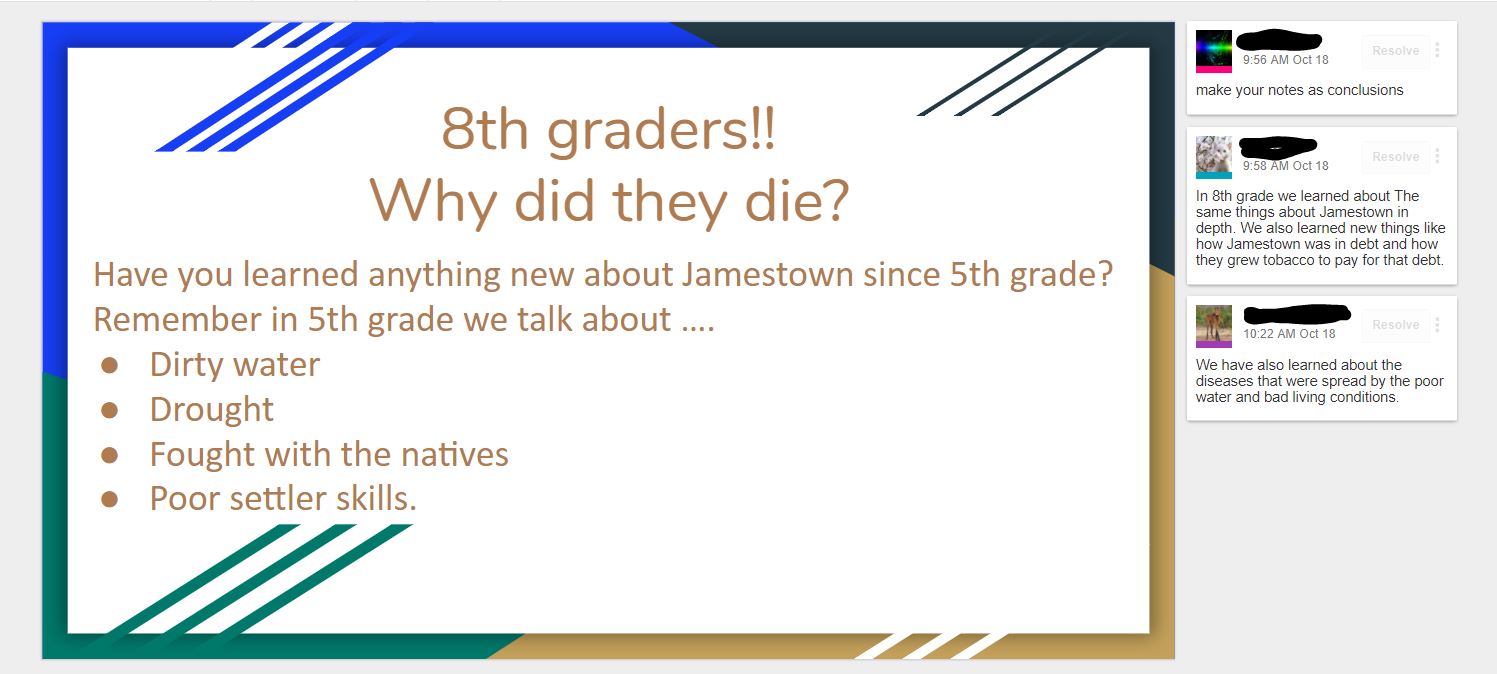
First, the students in fifth grade classes were presented with the two learning targets for this project.
- I will analyze a DBQ document, so I can answer the question, “Why did so many colonists die?”
- I am successful when I can write a paragraph to explain my thinking.
Immediately students went to work and created a collaborative slideshow to brainstorm
questions they wanted to know about Jamestown. The next day, students found out
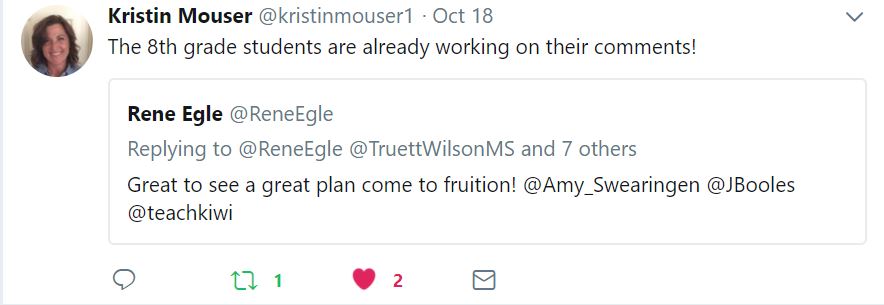
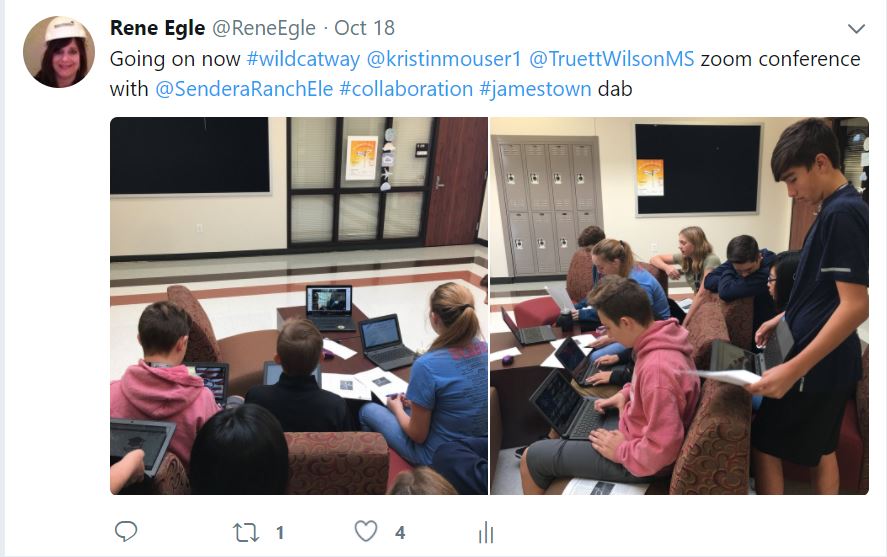
Mrs. Swearingen and Mrs. Mouser had set up a time for the eighth graders and fifth graders
to Zoom to have conversations. Zoom is a web-based tool that allows anyone to
virtually connect and host a video web conference.
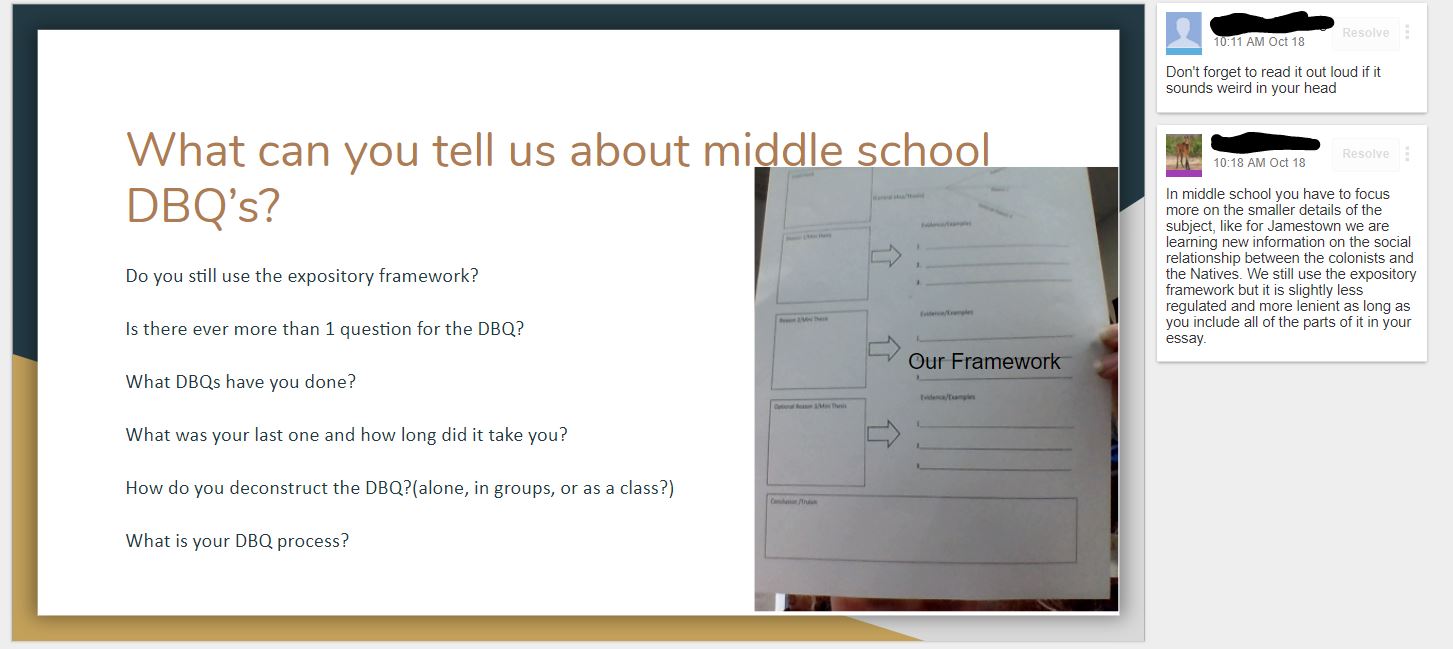
A few days later students began to write their paragraphs using Google Docs. Using Google Docs allowed communications and collaboration for students to receive comments
and feedback from their peers.
“I liked reading what the 8th graders said. They had some good ideas of how to make my DBQ
better.” said Brooke
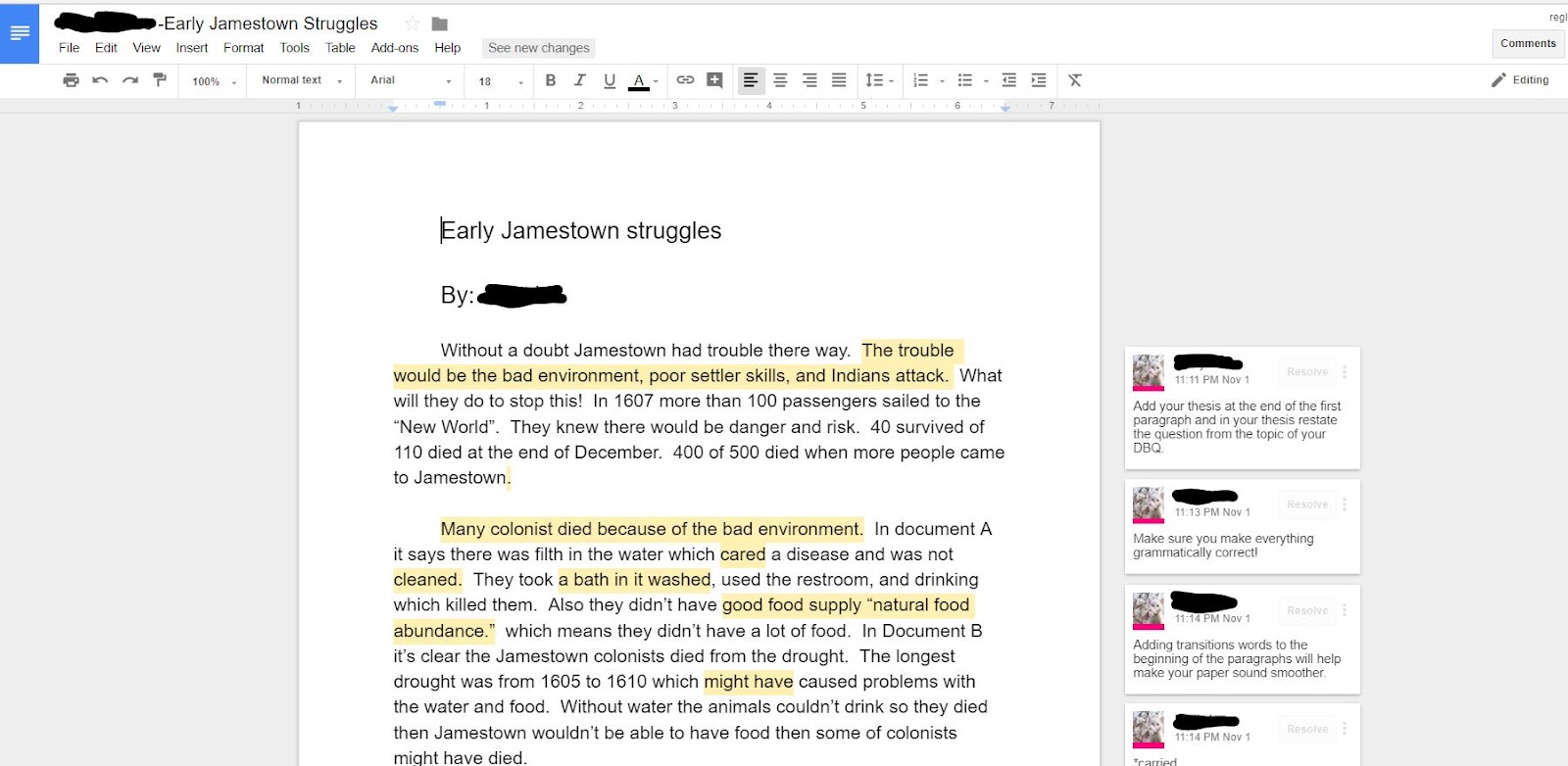
“It was fun to see the 8th graders and hear what 8th grade was like and what an 8th grade
DBQ was like. They do it a lot faster than we do.” stated Logan
Research supports the value of peer collaboration and discussion across all content areas and
concepts. By providing students the opportunity for peer feedback on their writing, students
were able to offer one another constructive critique in order to improve their own communication
skills. Extending, receiving, and evaluating feedback is a critical skill for all 21st Century Learners.
sciences.
- 1b. build networks and customize their learning environments in ways that support the learning process.
- 1c. use technology to seek feedback that informs and improves their practice and to demonstrate their learning in a variety of ways
- 2b. Students engage in positive, safe, legal and ethical behavior when using technology, including social interactions online or when using networked devices.
3. Knowledge Constructor - Students critically curate a variety of resources using digital tools to construct knowledge, produce creative artifacts and make meaningful learning experiences for themselves and others.
- 3a. Students plan and employ effective research strategies to locate information and other resources for their intellectual or creative pursuits.
- 3b. Students evaluate the accuracy, perspective, credibility and relevance of information, media, data or other resources.
- 3c. Students curate information from digital resources using a variety of tools and methods to create collections of artifacts that demonstrate meaningful connections or conclusions.
- 3d. Students build knowledge by actively exploring real-world issues and problems, developing ideas and theories and pursuing answers and solutions.
Tuesday, October 3, 2017
Don't Put Away Your Fidget Spinner Just Yet
Fidgets spinners are supposed to help students sit still and focus. On the contrary, many teachers are saying, it's having the exact opposite effect which causes students to loose focus. But, students in Mrs. Fryar’s, 6th grade Tech Apps course at Wilson Middle School, are not losing focus. They were challenged to create digital spinners all while strengthening critical thinking and problem solving skills.
Students went right to work discovering how coding on Scratch worked. They were able to question their understanding and take it deeper, by helping others find answers to the questions they still had. With Scratch, you can program your own interactive stories, games, and animations — and share your creations with others in the online community.So many spinners! pic.twitter.com/OleRynuEq9— Karen Fryar (@KarenFryarArt) May 12, 2017
Scratch helps young people learn to think creatively, reason systematically, and work collaboratively — essential skills for life in the 21st century


ISTE Standards
4. Innovative Designer - Students use a variety of technologies within a design process to identify and solve problems by creating new, useful or imaginative solutions.
4a Students know and use a deliberate design process for generating ideas, testing theories, creating innovative artifacts or solving authentic problems.
4b Students select and use digital tools to plan and manage a design process that considers design constraints and calculated risks.
4c Students develop, test and refine prototypes as part of a cyclical design process.
4d Students exhibit a tolerance for ambiguity, perseverance and the capacity to work with open-ended problems.
Wednesday, May 10, 2017
Interactive Periodic Table of Elements Using #GAFE
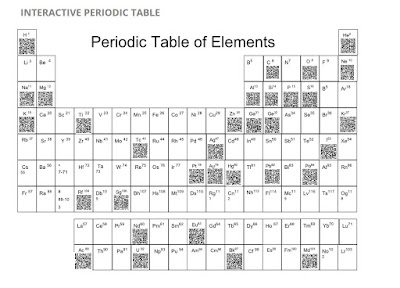
Sixth
graders at Wilson Middle School were challenged to design and create digital
posters of a chosen element from The Periodic Table of Elements using
Google Draw. Google Draw allows its’ users to collaboratively design
their element posters. Students were advised of the rubric
and each element poster was shared.


After creating their own unique QR
Code for each element, the students were able to embed them on the digital
table.
Sydney and Reese both
said, “This surely wasn't an individual project. We had a team that worked hard
together and completed this project as fast and precisely as we could.” Gabriel
and Jenna summed it up well, "We loved this project because we got to
learn facts about the Periodic Table of Elements in a fun way. We didn’t just
have to listen to the teacher talk, we got to create and learn at the same
time." They both agreed that next year's class should do this project.
"I think they’ll have fun," said Carson.


Mrs. Lindsey loves how Google tools make quick, effective collaboration and
communication a snap. “It frees more time to spend on teaching and
learning which makes this an ideal environment for the 21st century classroom,”
she stated. This
completed site was posted onto Mrs. Warren’s Moodle page to allow students to
access 24/7 for reflection and review.
1. Empowered Learner - Students leverage technology to take an active role in choosing,
achieving and demonstrating competency in their learning goals, informed by the
learning sciences. Students: a. Build networks and customize
their learning environments in ways that support the learning process.
b. Use technology to seek feedback that informs and improves their practice and to demonstrate their learning in a variety of ways.
b. Use technology to seek feedback that informs and improves their practice and to demonstrate their learning in a variety of ways.
2. Digital Citizen - Students recognize the rights, responsibilities and opportunities of living, learning and working in an interconnected digital world, and they act and model in ways that are safe, legal and ethical. Students:a. Engage in positive, safe, legal and ethical behavior when using technology, including social interactions online or when using networked devices.
3. Knowledge Constructor - Students critically curate a variety of resources using digital tools to construct knowledge, produce creative artifacts and make meaningful learning experiences for themselves and others. Students:
a. Plan and employ effective research strategies to locate information and other resources for their intellectual or creative pursuits.
b. Curate information form digital resources using a variety of tools that methods to create collections of artifacts that demonstrate meaningful connections or conclusions.
4. Innovative Designer - Students use a variety of technologies within a design process to identify and solve problems by creating new, useful or imaginative solutions. Students:
a. Select and use digital tools to plan and manage a design process that considers design constraints and calculated risks.
6. Creative Communicator - Students communicate clearly and express
themselves creatively for a variety of purposes using the platforms, tools,
styles, formats and digital media appropriate to their goals. Students:
a. Choose the appropriate platforms and tools for meeting the desired objectives of their creation or communication.
a. Choose the appropriate platforms and tools for meeting the desired objectives of their creation or communication.
b. Create original works or responsibly re purpose or remix
digital resources into new creations.
c. Communicate complex ideas clearly and effectively by creating or using a variety of digital objects such as visualizations, models or simulations.
c. Communicate complex ideas clearly and effectively by creating or using a variety of digital objects such as visualizations, models or simulations.
d. Publish or present content that customizes the message and
medium for their intended audiences.
7. Global Collaborator - Students use digital tools to broaden their perspectives and enrich their learning by collaborating with others and working effectively in teams locally and globally. Students:
a. Use
digital tools to connect with learners from a variety of backgrounds and
cultures, engaging with them in ways that broaden mutual understanding and
learning.
b. Use
collaborative technologies to work with others, including peers, experts or
community members, to examine issues and problems from multiple viewpoints.
c. Contribute
constructively to project teams, assuming various roles and responsibilities to
work effectively toward a common goal.
Subscribe to:
Posts (Atom)