
Showing posts with label Student Voice. Show all posts
Showing posts with label Student Voice. Show all posts
Monday, January 22, 2024

Tuesday, December 12, 2023
Monday, April 20, 2020
No One SAW this Coming, but we SEE NISD Keeping Learning Alive!

Continual Learning:
Each Sunday, teachers send required and optional assignments home for students to complete. Perhaps one of the best features within Seesaw is the ability to capture student voice by allowing students to explain their thinking. With provided structure through Seesaw activities, teachers can encourage students to take their learning deeper with questions and question stems. One of Mrs. Davis’ favorite activities during remote learning is the Animal Adaptations science activity. Listen to the student’s understanding of adaptation, their language of the discipline used, and their ability to apply this learning to a real life situation.
 |
| Click HERE to Enlarge and Listen |
Continual Literacy:
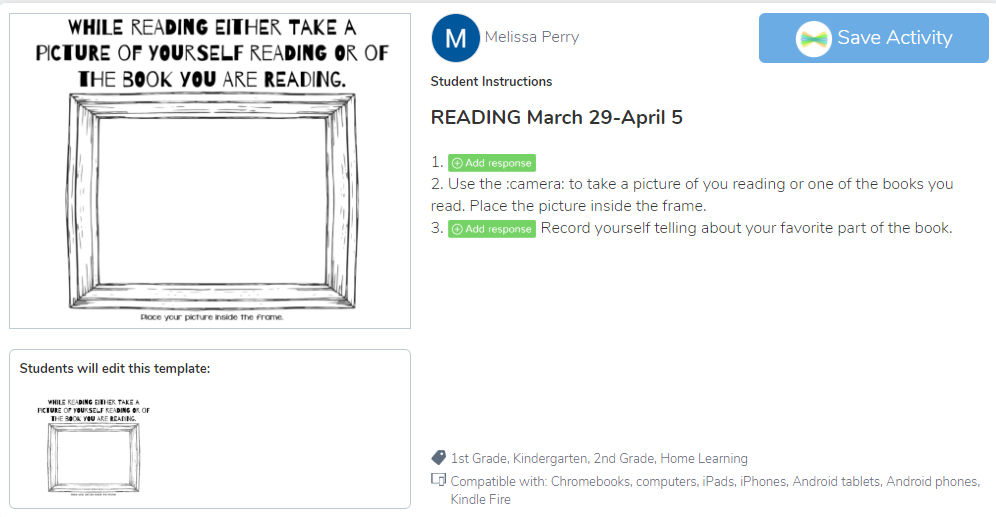
One of NISD’s goals for this year is literacy. Seesaw has allowed teachers to encourage students to keep reading and share their reading while they’re at home. One of Mrs. Perry’s favorite activities sent home to her Kinder class encouraged her readers to simply capture a picture of themselves reading. Mrs. Perry shares, “This activity not only encourages reading, but gives me a chance to see and listen to them read.”
 |
| Click HERE to Enlarge and Listen |
ELA coach Rebecca Maddox points out, “Seesaw is benefiting students, parents and teachers during this remote learning time with it's ease of use. Seesaw has allowed our youngest readers and writers the ability to respond and capture their thinking in a variety of ways. They use pictures and voice recordings to capture their thinking for others to view. It is great to see that students can document their reading and writing lives in this format to capture how they continue to grow and learn!”
Students from across NISD are reading and sharing their reading. The first week of extended break, Mrs. Moore sent an optional Seesaw activity to her class asking them to share about a book they read and one they are hoping to finish. These activities have since led to a deeper knowledge of books as the latest activity prompted readers to not only read, but to stop and jot information about the characters in their book. Get a glimpse into’s Reese’s reading HERE or by clicking the images below.
 |
| Click HERE to Enlarge and Listen |
 |
| Stop and Jot (Week of April 12) |
Engaging students in their learning is one of Mrs. Embry’s favorite aspects of Seesaw. She states, “Seesaw provides me the opportunity to create engaging lessons that allow students to respond in a way they are comfortable with. They can create a picture with drawing tools, type, or create a video.” Mrs. Embry, Mrs. Davis, and the Granger second grade team have personalized reading assignments by linking in an Adobe Spark video encouraging students to find fun places to read as they work on their reading stamina. It's fun for students to connect with their teachers by seeing them teach and encourage in the videos they send home.
 |
| Click HERE to Enlarge |
Mrs. Davis’ Spark Video
Lastly, another NISD goal for the year is that students showing yearly growth. Since Seesaw is the house for these student’s learning, teachers are able to see growth over time. Mrs. Davis states, “We have used Seesaw since day one as our students’ academic portfolio, so seeing growth is easy when you compare assignments from the first few weeks of school to their current work.”
Connecting with Students (SEL):
It’s tough not seeing student’s faces each day. It’s important that students know how to identify their feelings, but also that they have a platform to share and be heard. NISD has prioritized social and emotional learning this year, which has helped equip our students beyond their content knowledge. Granger students are especially familiar with “Seesaw Feeling Checks.” These activities have become especially important as teachers get a pulse for how their students are doing, even when they can’t see them each day. Click on the image below to see an example of Mrs. Perry and Mrs. Moore’s feelings check.
 |
| Click HERE to Enlarge |
Mrs. Fitch points out, “My favorite part of using Seesaw is being able to connect with my students! I love being able to post videos directly to their journals and I love getting videos from them even more. It is nice to be able to post work for one student, or the entire class with one click.” Mrs. Fitch continually provides her students with personalized video feedback. Check out how Mrs. Fitch used Seesaw to wish one special student a Happy Birthday and make her feel special even from afar.
The heart of our NISD teachers is what makes students excited to learn!

Another benefit of Seesaw is that it protects the privacy of our students and allows teachers to differentiate and provide personalized feedback for students without displaying that feedback to the entire class. Mrs. Perry is very intentional about giving writing feedback on student work. Click on the image below to see samples from the last few weeks.
 |
| Click HERE to Enlarge |
Seesaw allows feedback to be written, voiced in an audio comment, or even a personalized video.
Inviting Families Into The Learning:
Mrs. Davis comments, "By using Seesaw daily, parents are able to see what content we are working on and what products their child is creating. Parents have been very thankful for this program as Seesaw is sparking conversations as home, and parents are able to connect our learning at school to real world situations at home."
Student Growth:
 |
| Click HERE to Enlarge |
 |
| Click HERE to Enlarge |
Student Growth:
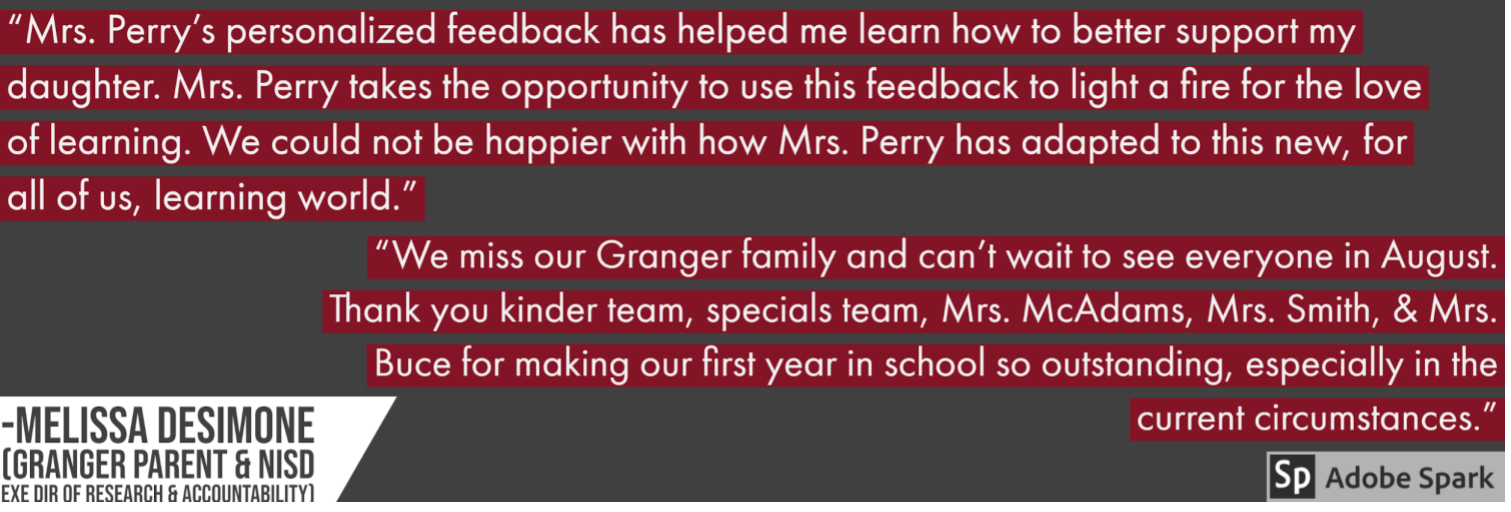
Mrs. Fitch adds, “Being able to provide feedback and having the students go back and check their work has allowed me to see growth in their writing. I have assigned the Daily Oral Language activity for three weeks and have seen growth from week to week.”
NISD is the Place to Be:
Our NISD teachers are a walking example of this quote by George Couros, “Technology will not replace great teachers, but technology in the hands of great teachers can be transformational.” Our teachers have thrived in a season of uncertainty. While the situation is not ideal, these teachers have not thrown in the towel. They’ve connected in a way that shows their heart for students and their heart for learning.


*The NISD IT Team is happy to announce that NISD has purchased Seesaw for Schools for the upcoming school years. This purchase is for all NISD schools ages Pre-K to 5th grade. Click HERE to learn more.
Monday, February 4, 2019
"Hear" Me Out: Deaf Culture Experience/Experiment
Challenge: You are about to experience simulated deafness for a full 24 hour period to truly experience authentic ASL language usage as a hard of hearing individual.
What a shock that must have been to the students in Mrs. Enfinger's American Sign Language I and II classes as Byron Nelson High School. While this teacher is able to somewhat mimic this experience in class by having full silent class days by which students must solely sign the language without speaking aloud or listening to said communication, this experiment provided a truly different take on removing sound from the equation. As a result of the experiment, deaf culture awareness was at an all time high at BNHS as students, parents, teachers, and administrators were talking about their opinions, accommodations, concerns, and perceptions which brought to light the need for true empathy and understanding for ALL types of students.
To begin, the following various stakeholders were informed about the experience.
- Students who would be participating learned of their assignment expectations and details
- Parents of those students in part that the experiment was expected to continue in full effort at home throughout the 24 hour time span
- Teachers and all other school staff since they would have these ASL students in their classes as well as other staff members who would be witnessing the experiment in other roles
The most frequently asked question was "How am I supposed to teach?" or "How is my student supposed to learn?" The best part about these questions is that the eye-opening learning experiment would not solely be experienced by the direct participant, but so much learning and understanding would also occur with other responsible parties.
To prepare for the "big day," students were tasked with researching ADA (American Deaf Association) requirements or accommodations available for all of the students' traditional daily activities including in the classroom such as enabling closed captioning on videos, live closed captioning on Google Slides, in addition to what needs may result for electives such as music or sports, and even church or other after school activities. They also gained an awareness of additional accommodations to accomplish other things they would want to do such as technology available including phone apps, interpreter and closed captioning services. Furthermore, research continued as students learned about Mandy Harvey and Nyle Dimarco to study deaf later in life vs. deaf from birth. Going into the experiment, students not only had a base understanding of the language they've so far learned through a traditional classroom setting, but they've also had a heightened interest in cultural aspects and legal accommodations as this research was authentic and immediately applied.
Students didn’t know the exact day they would go deaf in order to simulate adult deafness as it is usually gradual and don’t know it is happening. Instead, they showed up to class on a random day and were then told it would be their day to go deaf. The kids wore inner earplugs and outer ear muffs and on a scale of 1 to 10 (1 being profoundly deaf) were a 3-4 to simulate an adult who was hard of hearing. Students had their choice of how they preferred to journal their experience from keeping an ongoing written blog via Google Doc, a vlog (video blog) for extra credit to later by shareable via YouTube, voice notes on a phone, other other digital presentation format.
 |
| Alisa's full YouTube video blog (vlog) |
 |
| Alisa's thoroughly detailed, insightful blog |
 |
| Megan & Copelynn's Adobe Spark Page Experience Summary |
These examples above show the passion and above-and-beyond-effort these students exhibited through being given an relevant, authentic experience coupled with the ability to share their story with a live, authentic audience.
Mrs. Enfinger concluded that “The amazing thing about ASL is that I get to watch these kids fall in love with the culture and the people in a different way. They have a deep compassion and admiration for them, but it is difficult to teach them an understanding, empathy if you will. Not sympathy at all because what they learn over everything else is how empowered they felt- truly no fear! This experience was meant to educate them and those around them that the deaf can do anything the hearing can do except hear.”
This experience meets International Society for Technology in Education (ISTE)’s standard of a Knowledge Constructor in which “students plan and employ effective research strategies to locate information and other resources for their intellectual or creative pursuits” (3A) and “students build knowledge by actively exploring real-world issues and problems, developing ideas and theories and pursuing answers and solutions” (3D).
Tuesday, September 4, 2018
The Power of Learning by Experience!
This past spring, students in Mrs. Hayes Business Information Management class experienced the power of learning by experience! Students not only ran their own sports and entertainment business through simulation, but organized their research and experience in a cumulative Google Site.
Martha, currently a Sophomore in the Steele Collegiate Academy ran a successful business and learned a lot along the way. While the research and formative quizzes were an important part of Martha's learning, she truly enjoyed the Google Site as it was her means of reflection. "My Google Site allowed me to communicate everything about my business," commented Martha. "It helped my organize and highlight important information. It also helped me convey my learning in terms that those who didn't know about business could understand." Martha utilized Google Sites to it's full potential as she carefully chose images that would appeal to her audience and used captions to explain their importance.
Martha has since added this project to her personal ePortfolio and had the opportunity to share with community members and other students at Steele's 2018 Spring Showcase. She also has earned several certifications last year, one being the Entrepreneurship for Small Business Certification. "I got a 650 out of 700 the first time, but then I sat down with my friend Cassie and we went through what we knew and taught each other. I retook the test and past." Martha also went through Lynda.com courses to study for her certifications.
"When I first started the Business Information Management course, I didn’t think I’d enjoy it," said Martha. "Now, I’m planning to be in Coach Hayes course next year. I can see myself being in a career like this in the future, but regardless I learn so much"
 |
Perhaps the most personal and powerful aspect of Martha's site, was her use of Screencastify to explain her learning and the development of her business. Screencastify was a new tool for Martha. She points out, "I hadn’t used Screencastify before. A junior came in and showed us what Screencastify was and how to use it. I wasn't sure at first, but it ended up being really easy and made my website more interactive and personal." Martha also pointed out that the purpose of her video and website was not simply to show how she passed the simulation, but to truly explain the business to others. Check out one of Martha's videos:
According to Martha, the most challenging part of this project was the business simulation "The quizzes and reading were pretty easy, but passing the simulation was probably the hardest part. It’s not a memorization portion, but it is skills based." the fact that students had to problem solve and make decisions during the simulation, led to a meaningful and reflective experience.
 |
| Martha Sharing Her ePortfolio and Project at Steele Showcase |
"When I first started the Business Information Management course, I didn’t think I’d enjoy it," said Martha. "Now, I’m planning to be in Coach Hayes course next year. I can see myself being in a career like this in the future, but regardless I learn so much"
Monday, October 16, 2017
Constructing Concrete Connections
Vanderbilt University professor H. Richard
Milner IV wrote that, “…building
relationships with students is about meeting students where they are,
attempting to understand them, and developing connections with them.”
Most educators know that connecting with students and building positive
relationships are key strategies to developing student success and those relationships
serve as a foundation for what is done each and every day in the classroom. Making
those connections can sometimes be a challenge, especially when a student is more
introverted or maybe lacks confidence in his or her own voice. These
connections also rarely happen without a teacher’s willingness to be vulnerable
and share authentic pieces of themselves with students which, in turn, help to build
foundations of openness and trust that are essential in student motivation and growth.
 |
| Maslow's Hierarchy of Needs |
Technology can be useful in
transforming the ways we go about meeting the needs of our students while also providing a voice for those students
who feel uncomfortable or who might not normally contribute in larger class
settings. Effectively utilizing the right tool or resource can make
a real difference in providing authentic, safe, and supportive connections, and ultimately learning
experiences, that yield success for all
students.

Katy Watson, a French teacher at V.R. Eaton
High School explained that, “French I is the first time many students encounter a foreign
language class in their entire academic career” and “it’s often a period of
adjustment.” Mademoiselle Watson’s awareness of her students’ need for
connecting and establishing a comfortable foundation for learning led her to
utilize her YouTube channel to produce a video welcoming her students to the
course and sharing basic expectations with both students and parents, prior to
the first day of school. Mademoiselle Watson took time to introduce herself to
students and their families while showing them her passion for both education
and the French language. When asked about her goal for this video, she said, “I
wanted to take some time to introduce parents and students to my program and to
[help them] get an idea of what they can expect from my class. I’m hoping that
parents will feel more empowered to speak to their students about my class…”
and “to reach out to me if they need something, because they’ve put a face with
a name and they feel more comfortable.” Her willingness to take that extra step
to initiate personal contact with students and parents before anyone even set
foot into the classroom is something that has had an impact on both students
and families. Students came to class on the first day and felt encouraged to
mention the video and make connections right away. Several students mentioned
appreciating the effort and having a greater feeling of comfort and openness at
the beginning of the course. Parents expressed a sincere appreciation for a
chance to hear about the course and the instructor’s expectations and to have a
positive communication from the teacher right at the start of the year.

Samuel Beck Elementary’s Ethan Dee is
another example of an NISD educator who regularly uses technology in his
classroom and, this year, he specifically used it to create authentic
connections right at the start. Mr. Dee began by assigning a “Welcome Back
Scavenger Hunt” where students were to visit a variety of websites gathering
information about Mr. Dee and sharing information about themselves with him and
the rest of the class. Mr. Dee utilized everything from a Smore newsletter, to Moodle, to Padlet, to the comments section of his school
website, and even Animoto, where he created a
video about himself.
This scavenger hunt not only gave students a chance to get to know their
teacher, but it also allowed them to begin interacting with each other in a
positive way and previewing the types of tools they would use to learn and
collaborate throughout the year. When speaking about the scavenger hunt assignment, Diane Tsapos, a fifth grade parent said, "...as a parent, I enjoyed sharing this." Aaron Reisman, one of Mr. Dee’s fifth grade students,
shared that he is usually a bit quiet and nervous at the start of school and
that he has felt more comfortable this year. He especially liked to see his
classmate’s selfies posted on the scavenger hunt Padlet wall and thought that
the part of Mr. Dee’s video, where he was dancing, was funny. Aaron expressed
that he was definitely looking forward to spending the year in Mr. Dee’s class
because he was already having fun exploring these tools and getting to know everyone better.
When we evaluate student academic
experiences, we find out very quickly that although a lot of content is
sometimes forgotten, the connections we make help us to solidify foundations
of trust, social responsibility, and confidence, which then allows students
to walk away with skills and experiences that are positively remembered and applied for
the rest of their lives.
Student ISTE Standards:
1) Creativity and Innovation: Students demonstrate creative thinking, construct knowledge, and develop innovative products and processes using technology.
- 1.1: Apply existing knowledge to generate new ideas, products, or processes
- 1.2: Create original works as a means of personal or group expression
- 2.1: Interact, collaborate, and publish with peers, experts, or others employing a variety of digital environments and media
Monday, May 22, 2017
Extra Work for Extra Curricular? Leaders Make It Worth It
 This school year, 7 Hills Elementary embarked on their journey as a Leader in Me campus. The Leader in Me program cultivates leadership skills in students and encourages a culture of shared responsibility. Students have taken their new title of “Leader” very seriously and often seek out ways to improve their own school. Recently, leaders noticed that while there were several opportunities to be involved across campus, most parents were unaware of these options. With the help of school librarian (Melissa Quisenberry) and student leaders (Kate, Cami, and Haylyn) the group was able to solve this problem.
After careful consideration as to the ways parents seek out information about their child’s school, leaders decided the best option would be to design a website showcasing all the extra-curricular activities available at 7 Hills. Leaders quickly got to work researching the different clubs and snapping pictures of each club in action. Once they had gathered everything they needed, it was time to start designing a website. Ms. Q was able to meet with the girls and discuss their options for website creation tools. As a team, they decided Google Sites would serve their purpose well. Student leader Kate was impressed with how easy it is to use Google Sites. “I learned how to create websites. Which is something I don’t do a lot. I liked that it was simple and easy.”

Students “Put First Things First” and chose to use their own lunchtime to complete the project. Ms. Q allowed students to take the reigns on the website and provided only minimal support throughout the process. The freedom Ms. Q granted her students allowed them to take ownership in the content. Since Google Sites allows multiple users to work on a website simultaneously, students even worked on the project from home. Haylyn and Kate both shared how much they enjoyed being able to “Synergize” on the project even when away from school. Kate stated, “I liked that I could work on it with friends anywhere.” One of the greatest benefits of utilizing Apps available in the Google Suite is the ability to collaborate on tasks remotely. The dedication these leaders had paid off with a user friendly and informative website. Ms. Q linked their website to the school’s main website so parents could easily access it. Click here to take a look!

In the future, these leaders plan to update club information and add additional pictures. They also hope to provide a way for other students to sign up for a club through a form on their Site. With this student driven activity, Ms. Q inspired students to create a valuable tool that will serve their campus for years to come. Throughout the process, students gained valuable skills in Communication and Collaboration as outlined in the ISTE standards 6 A, C, D.
Monday, December 5, 2016
Do You Know Your Brain?
Can you name all the parts of the brain and their functions? No worries, Mrs. Smith's 5th Grade GATES class at Schluter Elementary has you covered. Students embarked on a cerebral adventure in which they created original work to showcase their knowledge of the brain. Students could choose any digital tool, and their resulting products reflect each student's passion for learning.

"We made a song about the brain parts as a parody of the song Heathens. We went on YouTube and found background music. We kept on thinking of things that would fit in, if the words went with the song. We alternated between our lyrics and the rhythm of the music to make sure they matched. I don't think we would have been able to do this project without technology. We had fun and we learned more about the brain by making the song."
~Luke & Christian
~Luke & Christian

"We needed to find a way to teach people about the brain, in a more fun format. We chose to do a parody of YMCA. You have to find research, a lot of beforehand research. We used a notebook to write lyrics and multiple devices. It is easy to decide on the lyrics by finding the lyrics to the original song online and as you go along, you change out the words for what you want it to say. Then you get a device to record. We used a piano version of the music, which felt slower than the original version."
~Brandon & Trevor
~Brandon & Trevor


"The purpose of this project was to explain what we've learned about the brain and our growth. Working with Powtoon was hard at first, but we liked it because you can express it in different ways, how you feel about it. We learned more about the brain from doing this project because you have to write it out and research and really have to think about it and plan it out a bunch. I shared it with my parents and they were amazed and proud of me because they liked how we expressed it different ways." ~Brylee & Kendall
 "I've used Google Slides before; for each slide, I chose what went together. If we didn't have technology, I probably would have made a poster. I prefer Google Slides instead of a poster because it is neat and organized. If we didn't do the project, I wouldn't have wanted to learn more about the brain." ~Lucy
"I did a Smore and I wanted to use it differently than I have before. When you share a Smore you can look and see where it went and who saw it, all over the world. For Smore, you can look more about what you're working on, which you can't do with a poster. We didn't go full-on in class about the brain, so this project let us go in more detail and learn more." ~McKenzi
These student products not only teach others about parts of the brain, they also showcase how these future-ready students are empowered learners, innovative designers, and creative communicators, standards described by the International Society for Technology in Education.
Monday, May 16, 2016
Mythical Mayhem: Learning Mythology via Student-Created Game
Athena, Hades, & Zeus... oh my! What's better than a fun online game? One that is fun, educational, and created by students.
Eaton High School Computer Science and English students have been working together on a cross-curricular project to create an educational game to learn Greek Mythology. English students supplied details of several gods and goddesses they learned in class, including storylines, attributes, strengths, weakness, etc. to Computer Science students, who are using their Java programming skills to create an educational game. The goal of the game is for players to learn about Greek Mythology characters, advancing up multiple levels based on the players' demonstrated knowledge of each character.
Students are facilitating this project in Google Drive and used Google Folders to organize the content, planning documents, resources, graphics, and student-created video progress updates. As the "customers", English students and their teacher were able to collaborate in Google Docs to model a real-world game design contract to ensure all parties were in agreement on the details of the final product before any coding began. Now that the Computer Science students are in development phase, with a project manager, coding team leader, and graphics team leader, all ensuring the details of the project are progressing smoothly. One of the most powerful components of this project is the series of progress videos that students create. A portion of one of these videos is below:
This project is still ongoing, so the game is not yet complete. This short screencast shows the look and feel of the game thus far:
Not only is this project fun and educational, students are also demonstrating several technology skills they are expected to possess in order to be future ready learners, including:
- Creativity & innovation: Students demonstrate creative thinking, construct knowledge, and develop innovative products and processes using technology.
- Critical thinking, problem solving, & decision making: Students use critical thinking skills to plan and conduct research, manage projects, solve problems, and make informed decisions using appropriate digital tools and resources.
- Communication & collaboration: Students use digital media and environments to communicate and work collaboratively, including at a distance, to support individual learning and contribute to the learning of others.
#WillCodeForDonuts
Monday, May 2, 2016
Technology is Making a Big Impact
 |
| Google Sheet Learning Journal with Peer Feedback |
The Tech Apps class has had many opportunities to utilize their Google Drive this year. This project, however, revealed that Google Sheets could be more than a place for numbers. Mrs. Wilsie found a resource to share with students that allowed them to organize their research and thoughts in different columns and tabs. After a few days of research, students shared their sheet with a small group to gather feedback on their progress. They then used the feedback to go back and fill in gaps.
Aryi wants to be a dermatologist, so she chose to research how technology has influenced the medical world. She's especially enjoying using Google Sheets for the learning journal. "The learning journal was very helpful. When I use technology for projects, it’s usually not very organized, so I go back to using paper. The learning journal showed me how to organize my information." She added, "I got to write out what I had learned in the different columns which was good because it kept me from just pasting a bunch of research in one place." Another student, Brody, points out, "I like using this because it’s an easy way to track your data. The sheet keeps up with the dates for us, so that we can go back and find them. I also like that I can have group members comment on my research."
 |
| Students using a variety of tools from the Tools That Make IT Click Blog to create their final presentation |
Another neat aspect of this project, is the amount of choice involved. Now that the research is complete, students are grouped based on their research topic. They will be putting together a presentation for the class on their research. Students are using the Tools That Make IT Click Database to get ideas. Brody comments, "We went through the tools and saw Emaze. I have used it once before and we chose it because we think that we can embed our different projects within the slides."
Tatum is doing her research on Quantum Physics and is presenting her information in a Google Site. She wants to take something big and outside of the box and make it easier for others to understand. Another student LiLi is creating a PowToon video for her presentation. "I’ve never used it before, but it looks like a cartoon and I think my class would enjoy watching this."
Students will be presenting their research presentations to the class this week. According to their research, technology has influenced many different areas of life, but it has also made a BIG impact on these Tech Apps students who get to try new tools and learn new skills daily!
Subscribe to:
Posts (Atom)