
Showing posts with label STEM. Show all posts
Showing posts with label STEM. Show all posts
Monday, February 13, 2023

Tuesday, December 14, 2021
Student Perspectives: A Comprehensive Reflection on Project-Based Learning

“This was probably my favorite project that I've ever done in an English class because it is based on a topic that I am a big fan of -- video games. I've never done something that I've been extremely interested in during English class.” - Hunter
“This project involved video games, art, symbolism, gothic literature, and design -- all things that I love.” - Traci
“I am proud of the different ways I was able to better the project because of the effort I gave. This was an amazing idea to get us to engage and learn about gothic themes and symbolisms.” - Caitlyn
Statements like these are sure to put a smile on any teacher’s face because, naturally, teachers want their students to enjoy learning. They want students to be engaged and excited about their work. But not all learning experiences result in the kind of enthusiasm these students expressed in their project reflections.
So, what was different about this assignment?
Project-based learning reframes traditional teaching, offering real-world, hands-on experience. In PBL students are challenged to create an authentic end-product, but haven’t necessarily learned what they need to know to create that end-product. In this way, student inquiry drives learning in a PBL.
Students know they have to create or do something (and even have a product rubric), but they don’t always know how to accomplish their task or have the knowledge they need to get it done. Students gain those throughout the PBL and apply what they learn as they create. This is different from classrooms where demonstrating mastery primarily happens at the end of a unit.
Paired with consistent feedback, PBL leaves room for students to fail in the moment but still grow and succeed in the end. The need to create becomes a catalyst to learning, and within the parameters of the PBL, a student can personalize their learning experience based on their interests and passions. How and what students learn in a PBL is organically driven by their authentic "need to know" for the purpose of creating.
(A note for teachers: In PBL, student inquiry is strategically planned and guided. The success of projects like these hinge on detailed backward design and the facilitator’s intentional guidance and scaffolding of student thinking throughout the project.)
Through Project-Based Learning, students get more than just academic content. In PBL students practice critical skills like communication, personal responsibility, time management, teamwork, and creativity. Student reflections even showed that through PBL students apply what they learn across content areas and make cross-curricular and industry connections.
After two and a half weeks of hard work, students were proud of themselves and of what they had created. They were eager to celebrate and share their hard work, growth, and successes. They presented their ideas to a panel of judges, which included a gaming expert who was acting as their game developer. Celebrate these hardworking students by exploring are some of their final products:
So, what was different about this assignment?
The Project
Students in the STEM Academy at Northwest High School completed a “Gothic Video Games PBL”. They were assigned a small team (3-4 people) and tasked with creating a video game design that honored Edgar Allen Poe’s contributions to Gothic Literature. By the end of their project, they had to answer the driving question, “How does style drive creativity?” Their learning tasks included:- work as a team to develop an E10+, ‘gothic game’ idea loosely based on an existing Gothic short story
- create a visual representation of their game to support the pitch
- 'pitch' their idea to a local game developer through a formal presentation
Project-based learning reframes traditional teaching, offering real-world, hands-on experience. In PBL students are challenged to create an authentic end-product, but haven’t necessarily learned what they need to know to create that end-product. In this way, student inquiry drives learning in a PBL.
Students know they have to create or do something (and even have a product rubric), but they don’t always know how to accomplish their task or have the knowledge they need to get it done. Students gain those throughout the PBL and apply what they learn as they create. This is different from classrooms where demonstrating mastery primarily happens at the end of a unit.
Paired with consistent feedback, PBL leaves room for students to fail in the moment but still grow and succeed in the end. The need to create becomes a catalyst to learning, and within the parameters of the PBL, a student can personalize their learning experience based on their interests and passions. How and what students learn in a PBL is organically driven by their authentic "need to know" for the purpose of creating.
(A note for teachers: In PBL, student inquiry is strategically planned and guided. The success of projects like these hinge on detailed backward design and the facilitator’s intentional guidance and scaffolding of student thinking throughout the project.)
The Reflection
Through Project-Based Learning, students get more than just academic content. In PBL students practice critical skills like communication, personal responsibility, time management, teamwork, and creativity. Student reflections even showed that through PBL students apply what they learn across content areas and make cross-curricular and industry connections."[Through this project] I grew my knowledge of game design and gothic elements, which allowed me to become more creative with those things. In a STEM field, most of the problems you have to solve aren't going to have definitive answers, so you need to be creative and innovative to solve them." - Robert
“A creative skill that I grew during this project has to be brainstorming. I don't brainstorm often… but this project and the brainstorming [needed] allowed me to think of a lot of unique ideas we could add to our game.” - Rylan
“Creativity is extremely important in the STEM field as it requires everyone to be unique when it comes to approaching a problem. If we all share the same idea, the final product will be dull.” - Anthony
"Our group's problem-solving was phenomenal. We found many issues with our original idea, but then made an amazing comeback and [designed] a whole new game and presentation. My group was lacking in the communication department... Thankfully, we pulled ourselves back together to make what I would say is a pretty good project." - EthanOf course, no collaborative effort is without its challenges. Students shared that, by working together, they learned to advocate for themselves and each other. They learned to lead, to compromise, to play on each other’s strengths, and to communicate with one another in a professional manner. Ultimately, they learned with and from each other.
“We came across many problems while working on our project. There were many things that we either disagreed with or didn't fully understand. We had to collaborate and try to work things out.” - Ryan
“I've grown as a problem-solver by understanding my weaknesses and getting help from people who are better at a particular thing than I am.” - Amelia
“This project taught me a lot of presentation skills that I will need in the future... After watching many [other teams present], I was able to learn the best ways to talk, communicate, and demonstrate ideas when presenting. That is why I enjoyed this project so much. I was able to learn some really great ways on how I should go about presenting.” - Vincent
“We were able to blend our ideas as a team to make something really cool.” - Anthony
The Products
After two and a half weeks of hard work, students were proud of themselves and of what they had created. They were eager to celebrate and share their hard work, growth, and successes. They presented their ideas to a panel of judges, which included a gaming expert who was acting as their game developer. Celebrate these hardworking students by exploring are some of their final products:“The Crypt”
This team of STEM students designed a full website, complete with original artwork, to showcase their video game idea based off of the story “The Fall of the House of Usher”. Highlighting the idea that our surroundings have an impact on our mental health, they challenged players to escape from the Crypt before they "go insane". Replete with gothic imagery and symbolism, in this game, players are “in a fight against insanity, which is caused by the dark”. The player “must cling to torches and light sources to save what sanity remains”.


"Puppet's Mirror"
This group designed a game where you escape by solving puzzles. They cleverly embedded mini-games that innocently represented the darker aspects of their short story, "The Black Cat" in order to adhere to their E10+ kid-friendly rating for their game. For instance, when in the story the cat loses an eye to the owner's violence, in the game, players are instead transported to "a rigged rotating cup" game with images of a one-eyed cat. They even used online tools to create an AI vision board for their game. They also created 3D mockups of their main character, noting minor adjustments in her appearance to symbolize her personality changing and other gothic aspects of their game.

"Just Around The Corner"
In this "labyrinth escape game", players must get out "before the consequences of their actions catch up with them". In this excellent presentation, students shared original artwork, that included iconic gothic symbolism from Edgar Allen Poe's "The Black Cat". Their work helped the project judges visualize each level. They also included a detailed description of how sensory elements of gameplay and user experience would communication the theme, build suspense, and contribute to the overall gothic of the game. Lastly, their pitch used persuasive diction to entice future players.


Monday, October 29, 2018
All Aboard: Where Hovering Dreams Become a Reality
“A dream doesn’t become reality through magic; it takes sweat, determination, and hard work.”
-Colin Powell
I think back to when I was a kid, thinking about how there would definitely be flying cars in the future. Shows and movies like “The Jetsons” and “Back to the Future” made these dreams a quasi-reality for us. Unlike three of Prairie View Elementary’s finest leaders, I was waiting for someone else to make this idea come to fruition, it never happened.

 Under the direction and guidance of Ms. Spann, the three 5th-grade engineers began to set-off on developing their idea in Tinker Cad, a design program that can then connect to a 3D-printer to print out their designs. In discussing their design process, Christopher stated that “We know that it has to be aerodynamic, which is why the front of the train will be rounded, to allow the air to push around it on all sides.” Through the process of designing the train itself, they have had to problem solve how they intend to make it hover. Ethan suggested that “electromagnets within the train and surrounding the tunnel will allow the train to stay off the ground,” as he pulls up his Youtube video research.
The beauty of learning in a district such as NISD, educators know where there is a will, there is a way. It just so happened that the NISD STEM Academy at Northwest High School had recently posted about their culminating project after experiencing first hand what the engineering process looks like. Ms. Elizabeth Mitias, the teacher of the Aerospace and STEM Principles classes, gladly accepted the challenge of having some of her seniors mentor our three emerging scientists. Coordinating schedules, Ms. Spann and Ms. Mitias set out to schedule a Zoom Conference between the two groups of students. The Prairie View students were excited at the opportunity to hear from “experts” in the field that they were working in. They began preparing talking points and questions that they would ask the seniors.
Finally, the day of the meeting arrived. Ethan, Connor, and Marla, senior students from Ms. Mitias’’ class, were eagerly awaiting the arrival of the young engineers. The meeting commenced with an introduction to the engineering process where the seniors discussed their experiences in creating their spacecraft. Connor reiterated the idea that “It is necessary to get feedback from multiple perspectives when creating a project because a fresh pair of eyes can help you see things that you may have missed before.”

When asked about their experiences throughout this whole passion-project, the boys were ecstatic to share how they were feeling. Ian stated, “I feel smart. I feel like a brainiac. I feel like I’ve done something nobody’s ever done before.” Ethan expressed, “It feels like what we are doing is experimental. We are figuring out problems that we’ve never done before.” Excited by the opportunity, Christopher shared, “I am just so eager to learn more about aerodynamics and electromagnets, and it feels like this is something that we can really make happen.” Ms. Spann, who supported this project from its conception, expressed, “I love that this whole project was intrinsically motivated. The students had the idea and set out to find a way to make it happen, all on their own. They never had a question of if, just who would be willing to give them the space to make their dreams come true.”
By empowering our students to find what they are passionate about, these Prairie View Leaders exemplify the necessity to fulfill the mantra, “Where there is a will, there is a way.” This truly embodies Leader In Me Habit #4 as this is a WIN-WIN for all involved.
Tuesday, September 25, 2018
Skilled Students: With the Certifications to Prove It
Every choice Patti Hayes makes about her Business Information Management course is funneled through Career and Technical Education (CTE)’s vision for future-ready students: “Skilled, Credentialed, and Ready”. Though, this isn’t unique to her classroom. In high school CTE classrooms throughout Northwest ISD, students are given every opportunity to graduate both skilled and certified with professional, industry certifications.
From students in Health Science earning CPR certifications, to those in Architecture classes certifying in programs like AutoCad, NISD students are graduating, at no cost to them, with industry certifications. “People need to understand that when we talk about industry certifications,” STEM Coordinator Casey Helmick explains, “it’s not like when I was in high school, a computer test that doesn’t mean anything. We are talking about certifications adults are currently paying for in order to get or keep their jobs. That is one way we set our kids up for future success.”

Through CTE, students have access to 27 pathways, each offering unique certifications that relate directly to degrees or fields of interest. For example, engineering students in the STEM Academy earn OSHA certifications their freshman year, and many have earned Autocad and Revit certifications by the time they graduate, while students in Business Information Management have the chance to become Microsoft Masters -- a title many are determined to earn before graduation.
Here is how it works: NISD high school students enrolled in any CTE class have access to Jasper and G-Metrix online, both certification curriculum platforms. Jasper teaches students Microsoft skills, challenging them with 8 skills-based lessons before their final creation project. GMetrix teaches programs like Autodesk and Adobe through 4 create-as-you-go lessons. Once students are trained, they test to certify through Certiport. In addition to these tools, students can supplement their learning with video tutorials from a site called Lynda.com, to which all Northwest ISD students have access.
Northwest High School (NHS) student Hulen Howard is currently certified in OSHA and working on both his Revit and Microsoft Word certifications. “It is the difference between having experience and having something to show that I have this experience,” He said. “If I apply for a job and claim I know Revit, my certification will show them what level of experience I have.”
Patricia Tran, NHS CTE teacher, reminisced, “I have students from the past who call me and say, ‘Hey Mrs. Tran, do you still have that certificate for PowerPoint or Word?’ because now they need it for work. One of Mrs. Tran's former students, Derek Maynard, who is currently attending the NCTC and working as on a maintenance team, can attest to this. He said, "My certifications [allow] me to show off my technical skills that I have learned... and how hard I have worked to get here. [They] have even opened up special opportunities for me at work. I was asked by my current employer to create a 3-dimensional drawing of a stage, based off of my Revit experiences."
Students seem to understand the benefit of pursuing these certifications. Helmick explains, “There are certifications connected to or linked to their pathway, but students aren’t limited to their pathway. They can earn certifications based on what they feel will give them the most potential and advantage on their [resume].” In fact, many Steele Accelerated High School students work towards certifications during their free time.
Steele senior Bergon Connor says he is going through certifications to better himself and build his resume. “I was focused on getting those certifications. Once I got one, I couldn’t stop.”
“A lot of us, when we started, didn’t think [certifications were] important or helpful,” Steele senior Sarah Alam clarified, “Even me. But once I did [start], I realized that having those certifications will be so helpful for [my] future.” For Sarah, who plans on pursuing a theater degree at the University of North Texas, certifications are a way to secure her financial future. She joked, “Believe it or not, theater doesn’t pay that much, so pursuing a job in Data Entry while I am in school will help me. I need a good, stable job as a backup plan.”
 Students talk about how certifications can help them reach their goals. Someday Cosmetology student and junior Abigail Warmbrod hopes to open her own salon and massage parlor, and she knows that her certifications are preparing her to present to her employees or use Excel to manage the books. But for now she is learning through her Academy and working a high school job that, she says, her certifications helped her get, “I had a job interview where I was able to explain my certifications. Even though it had nothing to do with the job, it stood out, and I was able to make those connections for them. And it helped me get the job.”
 Her teacher, Ms. Hayes, shared more of Abigail’s story, stressing, “Her first year she struggled. But she is determined and [she is] tapping into the resources available to her. To me that is the success story – someone who has struggled to certify, and then continuously battled, but stuck it out.” Hayes added, “It's about learning to be independent and pushing through their struggles. That is the success story…"
To date, Abigail has earned numerous Microsoft certifications, including Outlook, PowerPoint, Excel and Word Expert. Her next step is to become an expert in Excel, a test labeled by many as one of the more challenging certifications. “I am very determined to do it. I want that feeling of ‘I am done’. I don’t want to start something without finishing it.” Abigail’s classmate, Sarah, repeated this sentiment, “It’s difficult, but you’ve got to get through. I took Excel [multiple] times, but I pushed through it. And it’s taught me to be persistent and not stop trying. To gain skills and knowledge is really helpful no matter how difficult it is.” Abigail takes her test next Thursday.
Monday, March 12, 2018
Spark Learning: Inquiry-Based Learning in 5th Grade

These were only a few of the questions that 5th grade scientists at Prairie View Elementary school answered through their own research and the scientific process. Their teachers, Mrs. Davidson and Mrs. Ward, challenged them with an Inquiry Project; Mrs. Davidson explained, “They created their own questions based off of personal interests, and followed through with gathering data, analyzing their data, and creating a presentation to show their results.”
Mrs. Davidson added, “We wanted them to learn to question something on their own”. They challenged students to think about how they approach a problem, and even how they would handle social situations, how people would handle money or respond to various circumstances. But most of all, they gave students choice. For their inquiry project, students could choose any topic that sparked inquiry: they could investigate something entirely new or ask a question that extended previous inquiries from their time in school. One of her students, Kaden shared, “I like that [the inquiry project is] a creative activity”, and that after this project, he “knows how to answer [his] questions”.
Following the steps of the scientific process through inquiry-based learning, students developed questions and hypotheses before performing research. Zephyr’s team was interested in conducting a social experiment. They wanted to know, given a few staple options, what food people would eat for the rest of their lives if that had to. He said, “We made a survey and asked the staff and 5th, 4th, and 3rd graders. We collected the data and looked at the pie chart… Surprisingly, most people prefer pizza.” Zephyr added, “It’s important to answer questions because we can learn”.
Both Mrs. Ward and Mrs. Davidson, co-teachers in math and science, highlighted how integral both math and science were to the processes students were tasked with completing. Mrs. Ward clarified, “You can’t do science without math, they’re married”. Student Davis made cross-curricular connections through this project, explaining that what he learned can be applied in other areas of his life. He made the connection talking about math and problems in general, “...first [I] look at the problem and then think about it. Then, get a solution. It’s the same as science.”
Ultimately, inquiry projects like this one offer students choice, but not at the expense of content knowledge or the skills students are developing through their own hard work. For example, one team learned the steps of the design process as a part of their inquiry. They wondered, “Can you clean water through evaporation?” To find the best way to measure their results, students had to design an evaporation system that would test their theory. They collaborated to created two different designs, tested each design to see which worked better, and tested their original hypothesis. Other group's experiments failed, but Mrs. Davidson stressed to them that failure is a part of learning and of the scientific process - failure is an opportunity, so they would present about what they learned through their failures.

A crucial aspect of this assignment was that students’ inquiry was driven by the end-goal of presenting their scientific findings to their peers and an audience. As students prepared to present, they had choice in how to showcase their findings. They created videos, posters, and traditional slideshows chalked full of tables and graphs; this autonomy and choice helped to foster their passion to share what they had learned. Students were even given the opportunity to present to an authentic audience at EXPO, the district’s student showcase. Student Davis excitedly shared that his team’s project was picked to present at EXPO, saying, “I did it last year and really liked it. I like getting up there and presenting.” His team made a video "...because it captured what the person was actually saying" Although he thought the video gave them more accurate data, he was quick to reflect on what he would change to improve his presentation before the event, explaining, "We are going to add subtitles".
Mrs. Davidson acknowledges that managing and guiding so many student-groups at a time can be challenging. A project like this requires teachers to step out of any traditional role, and into the role of facilitator. They have to be the supporter, to ask guiding questions, manage supplies, point students to resources for help, and all the while handling classroom management. To be successful, she explained that she gave her students a step-by-step checklist and detailed calendar of due dates and expectations at the start of the project. Mrs. Davidson -- a self-identified control freak -- points out that it's important to let go and let them do it. “Because it’s their own exploration, it’s high interest and high energy,” she stressed, “It’s worth the mess.”
Monday, September 11, 2017
From Consumers to Creators: Students Design Curriculum
Tired of the traditional two-week review of safety rules each year, Ms. Hendrix at Northwest High School decided to put students in the driver's seat of their learning. Her chemistry students were tasked with creating an online, self-paced "Science Safety Education" course that caters to high school students and includes videos, presentations, and assessments. Student Alexis noted they were basically designing curriculum.
One of my favorite aspects of this project is the student ownership of their work. Hector said that his time spent in this project felt productive because he knew it was going to be put to use. Students were creating, all while knowing that there would be a specific audience. This project enabled student choice while staying within the teacher's required parameters and TEKS. Giving up control of an assignment can be scary for teachers, but the ownership and genuine learning that takes place as a result is invaluable to students. Hector added, “It’s cool because [what we created is] actually going to help someone later.”
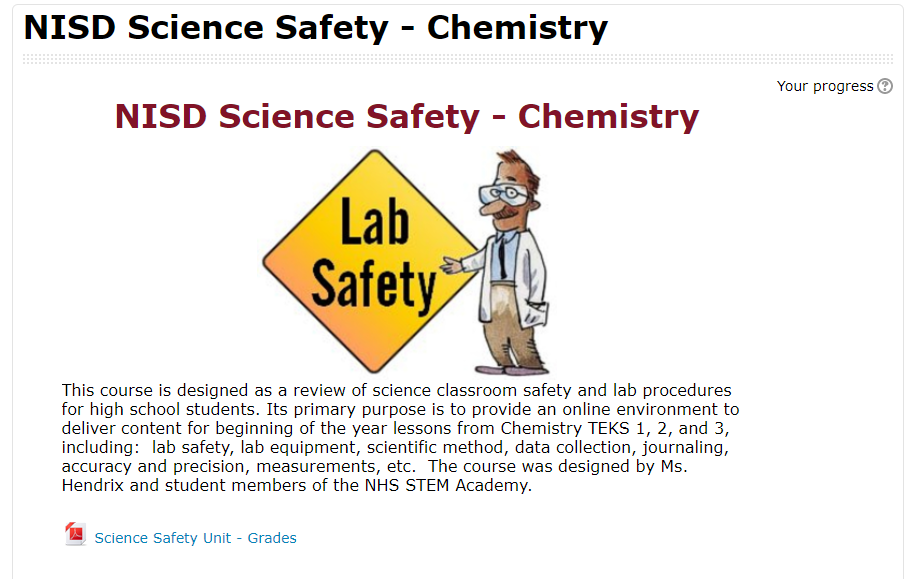 Students were ultimately able to redefine their learning using video editing software (WeVideo, iMovie App, and Adobe Spark), Google Drive and Slides, and various Moodle features to collaboratively teach future classmates.
Essentially, each team of students was responsible for a different Lab safety and procedure topic. There were many topics to be covered like journaling, recording scientific data, creating charts and graphs, and the history of science. Each team had to create a note-taking presentation resource, a video, and various assessments for their unit. The teams collaborated to culminate everything in a final product for the next year’s science students to use at the beginning of the school year.
Ms. Hendrix was sure to leave the actual creation of the course to the students, but did help them format it into Moodle so others could benefit from their hard work. Payton said, “[This project] made me reflect on how I learned as a sophomore, and I was able to apply that for other students.” In creating the course, students had to think critically about how people learn, what type of learning sticks, and what resources and content would be best for their intended audience. Everett added, “...we had multiple people who learned different ways in our group, and so each person was able to contribute differently.”
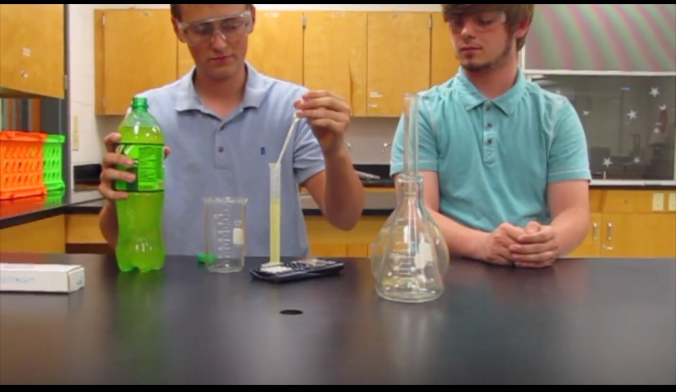
The teams pulled from existing resources and created brand new ones. Many students embedded student-made videos into their Google Slide presentations. Alexis’s team worked hard to make their video entertaining. “We wanted it to be funny because ours was … about doing a write-up,” Alexis noted. “It’s a boring topic for some, so we wanted it to be funny considering our audience [was] teenagers.” As always, some of the biggest learning moments came as students reflected on their work. Hector reminisced, “Out of all of the things that I did that year, I feel like this had the biggest impact.”
Wednesday, April 12, 2017
Digital Learning Can Be a Zoo!
Students at Northwest ISD's STEM Academy recently finished an extensive project across two classes to research, design, and create a functional zoo habitat for a specific type of animal. Students who were enrolled in both Mrs. Goodwin's Biology class and Mrs. Garrett's Intro to Engineering and Design class used their knowledge from both subjects to informatively create their habitats.

 |
| Initial Hand Drawn Plans |
The project had many parts other than the actual modeling aspect. Students had to research many aspects of their chosen animal's living needs and incorporate those into their design. Factors such as natural habitat, environmental niche, food web, behavior, adaptations, and limiting resources were all considered. Groups created folders in Google Drive to share and collaborate on their project portfolios while completing their research. "My favorite part of the project was designing the zoo habitat so it resembled a real habitat," said student Marla, who worked on the Harpy Eagle Habitat Project. "We discovered things during our research that changed out initial designs. For example, two harpy eagles in the wild occupy an area of over 20 square miles and they typically nest at a specific height. Because of this, we had to change our initial design which wasn't large or high enough."
Austin agreed with Marla, saying that "concepts for our design were created over and over, including many drafts as we did research." But not only animal factors had to be taken into account when creating their zoo habitat, as they had to ensure that designs accounted for humans visiting as well. "For example, the [Americans with Disabilities Act] requires that all stairs be between 30 and 50 degree elevation, so we had to take that into account as well," said Austin.
 |
| Elephant Habitat Final Project Portfolio |
Tuesday, September 6, 2016
Student Profiling for STEM Success
Students at the Science, Technology, Engineering, and Math (STEM) Academy at Northwest High School started this school year with a project where their goal was to further define what it is to be a STEM student. The project, Profile of a STEM Student, utilized NISD's own Profile of a Graduate as a starting point, but then elaborated and transformed the profile to their own definition for STEM students. According to Jayden, a student in Mrs. Garrett's engineering class, "the NISD Profile of a Graduate was too broad for us, so this project helped us design one for STEM that was more specific to what we need to learn for college and our careers."
 |
| Project Notebooks |
The project consisted of multiple parts: gathering information, generating categories for the profile, building their profile, designing a presentation, and giving the presentation in class. "We documented every step of the process in our Project Notebooks," said Jayden, "including brainstorming, our presentation notes, and our categories that we designed for the profile."
The greatest part of the project was the opportunity for students to choose their own categories that they thought best exemplified the profile of a STEM student. While some categories were required by the project instructions (core beliefs, mission, college and career readiness), the students got to choose three of their own, such as work-ethic, relationships, responsibilities, or anything else they thought was most important for them. Chris and Matt, two students from the same group, explained to me some of their group's choices. "STEM Academy classes use lots of Project Based Learning, so we chose what we thought was best for that." For example, "we chose work-ethic as one of our categories because time management and working as a team on a project is important for getting things done, just like in a job."
 |
| Mrs. Garrett's class |
For students, choice is important. This project gave them a choice, not only in the project itself, but in creating the ideal profile for the rest of their school career as a STEM student. Check out the links below to see the project instructions, the grading rubric, and some examples of the visual portion of the student presentations.
Monday, November 16, 2015
Zooming to the STEM Academy
 |
| Periscope of Zoom Conference |

 The Roanoke third graders then took the idea to paper. Or so they thought... They soon realized they had some questions about the task. So they sent the STEM students another ZOOM invitation and had an impromptu digital chat for clarification. Christian, a 3rd grader in Mrs. Rogers class at Roanoke commented, "It helped us because we didn't understand the challenge at first and we just needed to ask more questions. So we did." Then they had to plan and design a model tree house system. They spent two weeks in class working in groups to design their system and a way to present the information.
 Today, November 16th, the 3rd graders will get up in front of the students of the STEM Academy, in person, and present their ideas. The STEM students will then use their 3D printing machine to create the tree house system that is best presented to them.
When STEM students were asked what value there is in communicating with a younger audience, one student stated, "Communicating with a younger audience is very interesting since it is something we're not as used to doing, it helps to further expand our presenting skills." Shelbee and Dominae, in Mrs. Maynor's 3rd grade class also added that using a chat on a phone or computer will help students when they want to talk to companies like Yeti. They said it makes it easier when they can't go on a field trip there. Video Chats are tearing down classroom walls throughout Northwest ISD.
Monday, September 21, 2015
Student Blog Develops Better Writers
Student blogs are not uncommon; having students interact with each other and with the world is a valuable learning experience. This blog project is unique in that it is a student-run class blog which spans the entire school year and incorporates multiple skills needed to be successful writers. Each class period manages their own blog, where students all contribute.
Project Driving Questions:

Kira, the Blog Master for 8th period, oversees all posts from other students. There are four blog teams, each with a team leader. Team leaders submit each blog post from their team members to Kira for evaluation and feedback. Once the post is approved by Kira, she sends the blog post to the teacher for final approval. After the posts have been published online, students go into the blog and comment on each other's blog posts. According to Kira, this process helps students develop their own writing style and helps them understand writing styles, grammar, and organize thoughts.

Project Driving Questions:
- How can we make blogs interesting and relevant?
- How can sustained, interactive writing, published over time improve author voice and style?
Goals for students during the project:
- Develop personal writing voice
- Grow as a writer
- Become more comfortable sharing writing
- Considering tone and purpose in writing
- Brainstorming, drafting, facilitating peer review and feedback
- Craft a professional and safe online presence
The overall process:
Students choose one journalist whose work they will follow throughout the year to (1) become familiar with both current events and pop culture, and (2) analyze and assess author style and voice. For each post, students pick a current topic that their journalist wrote about. Students then qualify, refute, or defend their journalist’s stance on the issue, providing evidence from personal experiences or text-to-text/text-to-world connections. By engaging with an author’s existing work, students enter into a rhetorical dialogue, and by posting that dialogue on a blog, they invite others to participate in that conversation.
In Ms. Lloyd's 8th period class, students created their STEM Journalism Review blog (http://stemapenglish8.weebly.com) and have already begun posting and commenting. The topics about which students write include politics, economics, education, medical, race & culture, science, and technology.
For example, Garrett writes a response to an article by Frank Bruni, describing a new way of thinking about the value and effectiveness of the college experience.
The blog is still in its beginning stages; as this is a year-long project, readers are encouraged to revisit the blog to watch it grow.
#rhetoricislife
Monday, May 11, 2015
Breaking Bridges... All in the name of Science!
Tenth grade students enrolled in Engineering Design apply engineering concepts to design, build, and test model bridges. Students use two specific tools in their design process, one to help with the design process (before building the bridge), and one to test the structural integrity of the bridge (after building the bridge). Before bridge building begins, students use West Point Bridge Designer to "model, test, and optimize a steel highway bridge, based on realistic specifications, constraints, and performance criteria" (source).


(Image source: West Point Bridge Designer website.)
Students then construct their model bridges using balsa wood and glue. After construction is complete, students test the strength of the bridges by applying force using a Pitsco Structure Tester. The software attached to the instrument records the force applied so students can record the data as part of their observations.

"Breaking" a bridge using the Structure Tester.

Software monitors & records force applied to the bridge. (This bridge peaked at 33 pounds.)

Students work together to test the structural integrity of their model bridge.
Noah, a student participating in the project, describes the process:
"We are testing to see how much force the bridge can take before it breaks. This will help us find a weakness. My team's bridge broke at 22 pounds, so we're going to modify our bridge. We could do this without technology but we would have to run a lot more tests to break it to test all the tension points to test how much force it can take."
Some students turned the activity into a friendly competition, seeing which bridge could withstand the most force before breaking. The sound of cracking of balsa wood never elicited so much excitement!
Monday, January 26, 2015
Simplifying the Principles of Newton's Laws
Student Rachel Hopkins, 8th grader at
Wilson Middle School, embraced a challenge from
science teacher, Mrs. McCown. The challenge:
show other students a creative way to learn about Newton’s Laws. Rachel
describes to her audience the properties of
motion with her unique approach to create a project that makes the concept understandable for
her peers. Newton’s laws are useful when people design airplanes,
trains, cars, sports equipment, toys and many things that have to do with
motion. Some people have trouble understanding Newton’s laws without any
applicable examples that relate to everyday life. Rachel addresses these
misunderstanding through filming and then using
video production software to best address the learning
needs of her audience. Her completed video was uploaded to YouTube to
broadcast to a global audience so that she not only made a difficult concept understandable
to her classmates but learners around the world.
.jpg)
"Sir Isaac Newton (1643-1727)" by Sir Godfrey Kneller - http://www.phys.uu.nl/~vgent/astrology/images/newton1689.jpg]. Licensed under Public Domain via Wikimedia Commons - http://commons.wikimedia.org/wiki/File:Sir_Isaac_Newton_(1643-1727).jpg#mediaviewer/File:Sir_Isaac_Newton_(1643-1727).jpg
Monday, January 5, 2015
3D printer makes student-designed products come to life
Having a classroom 3D printer is not only cool, it is technology which can truly transform student learning. An example of such a transformation is the Product Design and Development Project, conducted by STEM Academy Seniors in Mr. Jim Brown's Engineering IV class at Northwest High School. Given the Driving Question, "How can we design and develop a product that will satisfy a consumer need?", students worked in design teams to apply the product design and development process, along with the engineering design process, to design, create, and present a product prototype that will satisfy a consumer need. Using new product development stages, students evolved their ideas into physical prototypes using the 3D printer. In true STEM Academy fashion, at the conclusion of the project, students presented their prototypes to a panel of industry experts for authentic, real-world feedback.
The integration of technology in this project was not only to create their final products, but also in many steps throughout the project. For example, students used Nepris to video conference with TXS Industrial Design personnel, Excel Gantt charts for effective project management, electronic Pugh Charts for product concept selection, and SolidWorks 3D design software (a common software used in university Engineering programs) for digital product design. All these tools were used to allow students to collaborate, work as a team, meet deadlines, justify product design decisions, and create product designs that could be sent to the MakerBot 3D printer. Only then could the students' designs come to life.
Bullet Buddy
A pencil for people who like to stand out in a crowd, the Bullet Buddy is the perfect ammunition for the professional. Convenience in a small container, it comes with a big eraser for the error-prone, a pocket clip for mobile storage convenience, and a built-in sharpener.


Swirly Fork
The Swirly Fork was created to make the eating of noodles easier on the consumer. The fork works by spinning when you run your fingers down the side of the fork.

Z Case
Too many things to hold? Losing all your stuff? We have just the thing for you! The Z case can hold your stuff, reduce the amount, and protect your phone.

Would you buy these products? If they needed further modification to meet your needs as a consumer, would you hire these students to create a product designed for you?
If you had access to a 3D printer, what would you create? Would it be something just for fun? Would your product satisfy a consumer need?
Project Overview & Requirements
Product Concept Proposal Grading Rubric
Engineering Research Grading Rubric
 |
| Image source: http://store.makerbot.com/replicator2 |
Examples of student products
Bullet Buddy
A pencil for people who like to stand out in a crowd, the Bullet Buddy is the perfect ammunition for the professional. Convenience in a small container, it comes with a big eraser for the error-prone, a pocket clip for mobile storage convenience, and a built-in sharpener.


Link to complete Bullet Buddy student presentation materials is HERE.
"We had to apply our knowledge of SolidWorks, a program that allows us to make components for the 3D printers. Similar to AutoCAD chamfering and filleting, you can mold the object however you want to." -Tucker Chaka, Bullet Buddy Design Team Member
"What engineers do is make products better. Having this technology with 3D printers and the SolidWorks platform lets us to break down components to see how they work and improve upon them. Without technology, we would not have been able to do the project." -Christian Thomas, Bullet Buddy Design Team Member
Swirly Fork
The Swirly Fork was created to make the eating of noodles easier on the consumer. The fork works by spinning when you run your fingers down the side of the fork.

Link to complete Swirly Fork student presentation materials is HERE.
Too many things to hold? Losing all your stuff? We have just the thing for you! The Z case can hold your stuff, reduce the amount, and protect your phone.

Link to complete Z Case student presentation materials is HERE.
"For engineering, you want to come up with stuff on your own to improve things, that's what engineers do. I was wanting to improve a phone case. There are already phone cases like I had, but I wanted to improve it to where it would become a mini wallet at the same time that won't be bulky." -Zi Lin Higbie, Z Case Design Team LeaderAs each student design team presented their products at the end of the project, industry experts who served as presentation judges provided insightful feedback to students. In some cases, the prototypes were so well designed that they could be manufactured for sale to the public with only minor modifications.
Would you buy these products? If they needed further modification to meet your needs as a consumer, would you hire these students to create a product designed for you?
If you had access to a 3D printer, what would you create? Would it be something just for fun? Would your product satisfy a consumer need?
Additional Project Resources
Product Concept Proposal Grading Rubric
Engineering Research Grading Rubric
Monday, December 1, 2014
Transformations ARE NOT LOST in Translation in Math
What do careers such as engineering/construction and interior design/decorating have in common? They ALL need to understand relationships between objects. One might ask HOW do we learn about those relationships like symmetry and similarity? The answer is transformations.
Students were challenged with the task to show what they learned about: reflection, rotation, translation, and dilation using digital tools of their choice.
Justice explains, "When a translation takes place, the figure is moved, but the shape and size stay the same." https://www.smore.com/tndnd

https://www.smore.com/q5j97

Aaliyah analyzes the concept of rotation of the triangle by 90 degrees clockwise around the origin (0,0). She then states the result as, "My ordered pairs changed from (X, Y) to (-Y, X)"
https://www.smore.com/dx8sg-graphing-transformation-project

When we work with shapes and figures it is easy to start to see patterns that designers use to create the final product. Even in a simplistic way the floors of a skyscraper may just be transformations of a different floor with the exact same layout. Figuring out the way those figures need to be moved to optimize the space is really what transformations can teach us.
Colbie noted that because the shapes are congruent in size an architect or interior
designer might use this concept to duplicate a part of a room or building. Some
buildings have cool features that are repeated to make the building unique.
Those features are just transformed from one location to the next.
Olivia
saw that with dilations the shape doesn’t stay the same size. “Perhaps a
customer likes the design they were given but want it to be larger or smaller
like a dilation.”
These projects were created in 8th grade math at Wilson Middle School and exceeded Mrs. Holly Lewis' expectations of creativity, organization, and concept.
These projects were created in 8th grade math at Wilson Middle School and exceeded Mrs. Holly Lewis' expectations of creativity, organization, and concept.
Monday, September 8, 2014
Lego Robotics Techno Camps Summer 2014
Each summer NISD
hosts Lego Robotics TechnoCamp. This summer had the largest in attendance at 568 made up of 1st through 8th grade students. TechnoCamp offers students the opportunity to
challenge their creativity using the Lego Education robotics products. Students
learn to design, program and control fully-functional Lego models. They use
software to plan, test and modify sequences of instructions for a variety of
life-like robotic behaviors. During the process, participants collect and analyze data from
sensors using data logging functionalities embedded in the software. We look
forward each year to summer so we can learn with our students. They had so much fun they didn’t even
realize they were learning!

According to third grader Chris, "Not everything works right the first time so I had
to keep trying to build my robot." Christopher wants to attend STEM at NHS and become a
Technology Engineer that writes code.
Third grader Russell thought "Technocamp was fun because I like being creative
which helped me to build robots. Battle bots was my favorite because our bots got to
battle each other and of course we won". Russell wants to be an engineer and design cars.
Conner, also a third grader, discovered that "Legos DO need a motor to work". His favorite part of camp was hooking up the robot to the computer to watch it
move to the customized program.
Needless to say, all students shared that they "cannot wait for
TechnoCamp next year!"
Subscribe to:
Posts (Atom)